Filter and export
Filter the view
The Action Register lets you filter actions by category. The available filters are:
- Tags - filter by one or more action tags
- Project - filter by the projects actions are linked to
- Assigned To - filter by the users assigned to actions
- Owner - filter by the users who created the actions
- Priority - filter by priority level
- Status - filter by Not Started, In Progress, On Hold, Complete or Closed
Combine as many filters as you need. To reset every filter to its default, click the reset filters icon (↺).
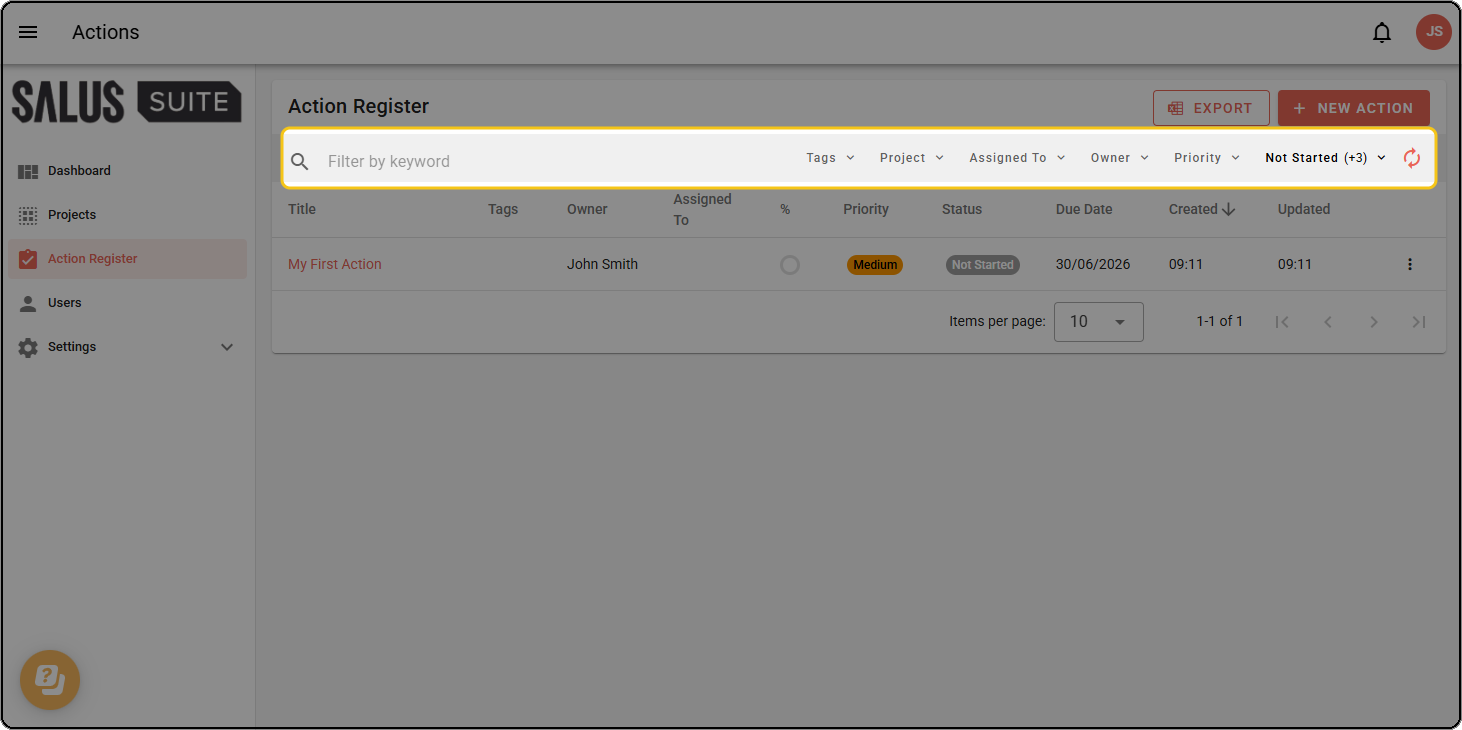
You can also search by keyword using the search bar at the top of the filter toolbar.
Export actions
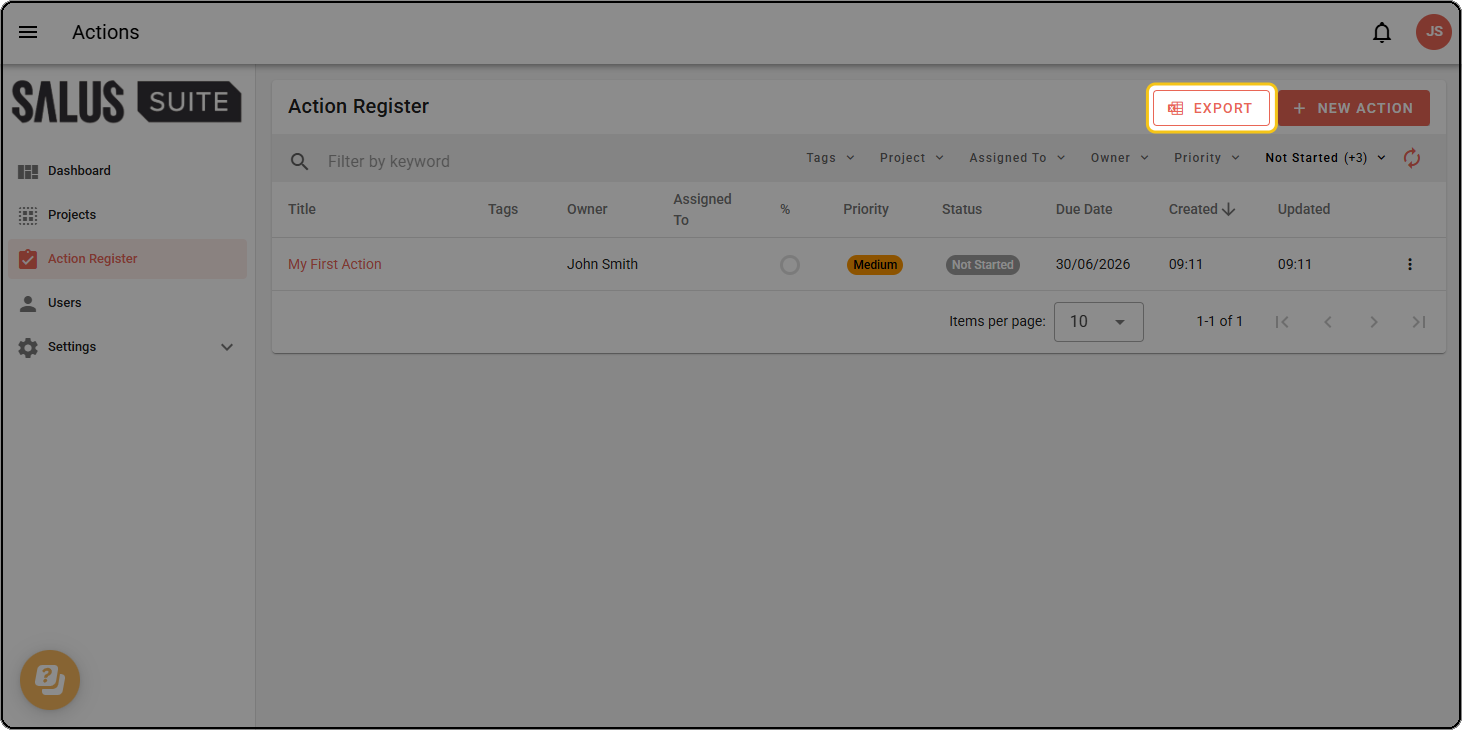
Export every visible action to an Excel file.
Step 1: Head to the Action Register in the left-hand menu.
Step 2: Click EXPORT in the top-right corner. An Excel file downloads containing all actions that match your current filters.