Download and export your diagram
In this tutorial, we’ll show you how to download your diagram as an image or PDF and back up your data.
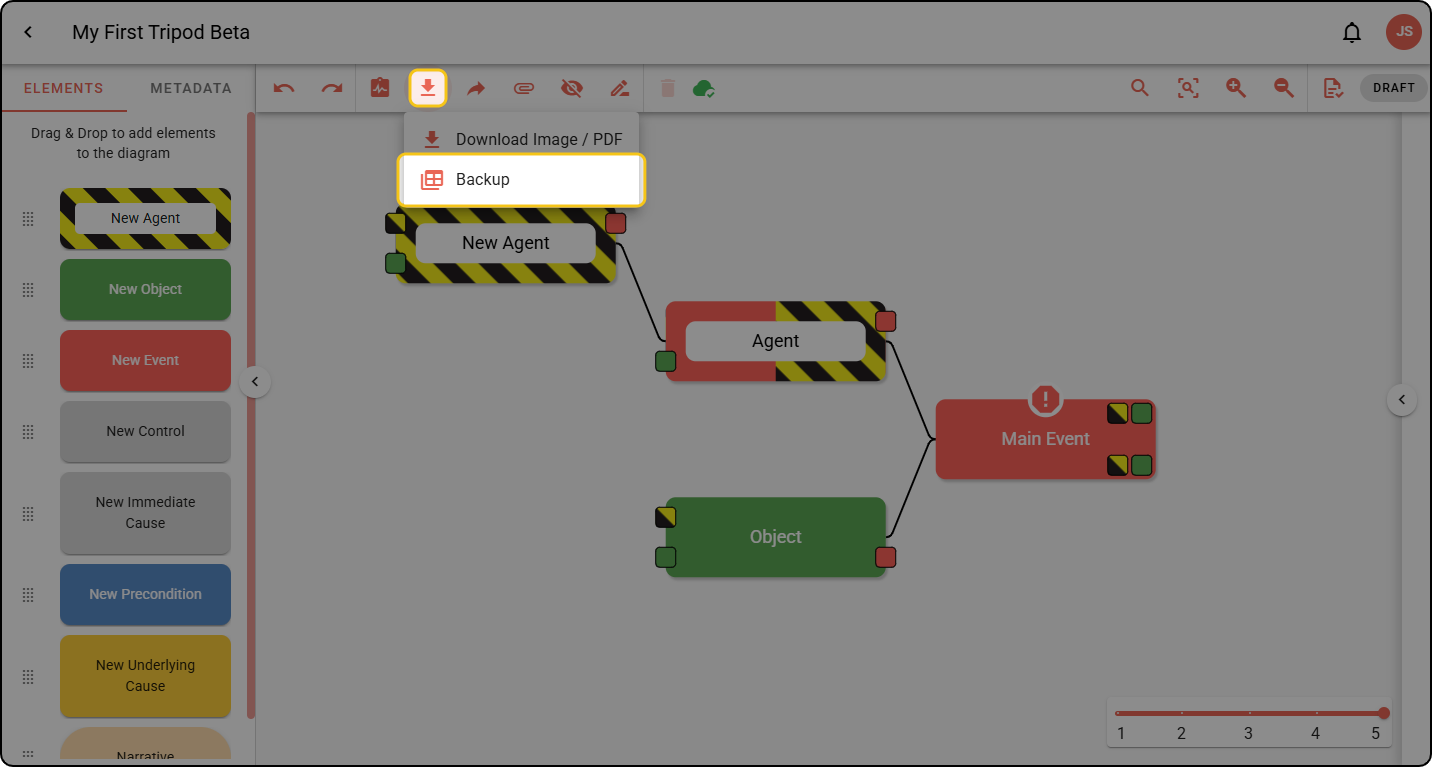
All download and export options live under DOWNLOAD & EXPORT in the diagram toolbar.
Download an image or PDF
Download your diagram as a PNG or PDF.
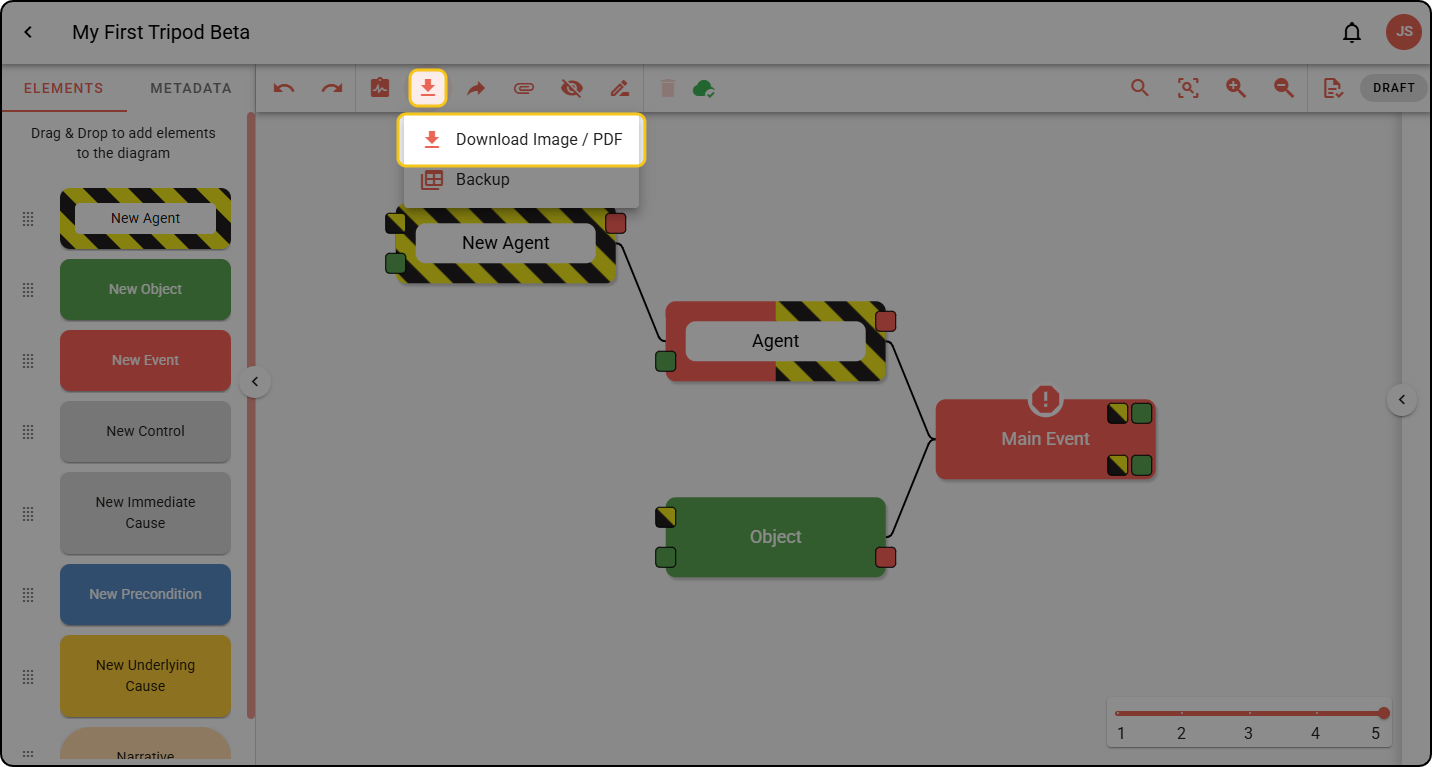
Step 1: In the toolbar, click the download icon, then DOWNLOAD IMAGE / PDF.
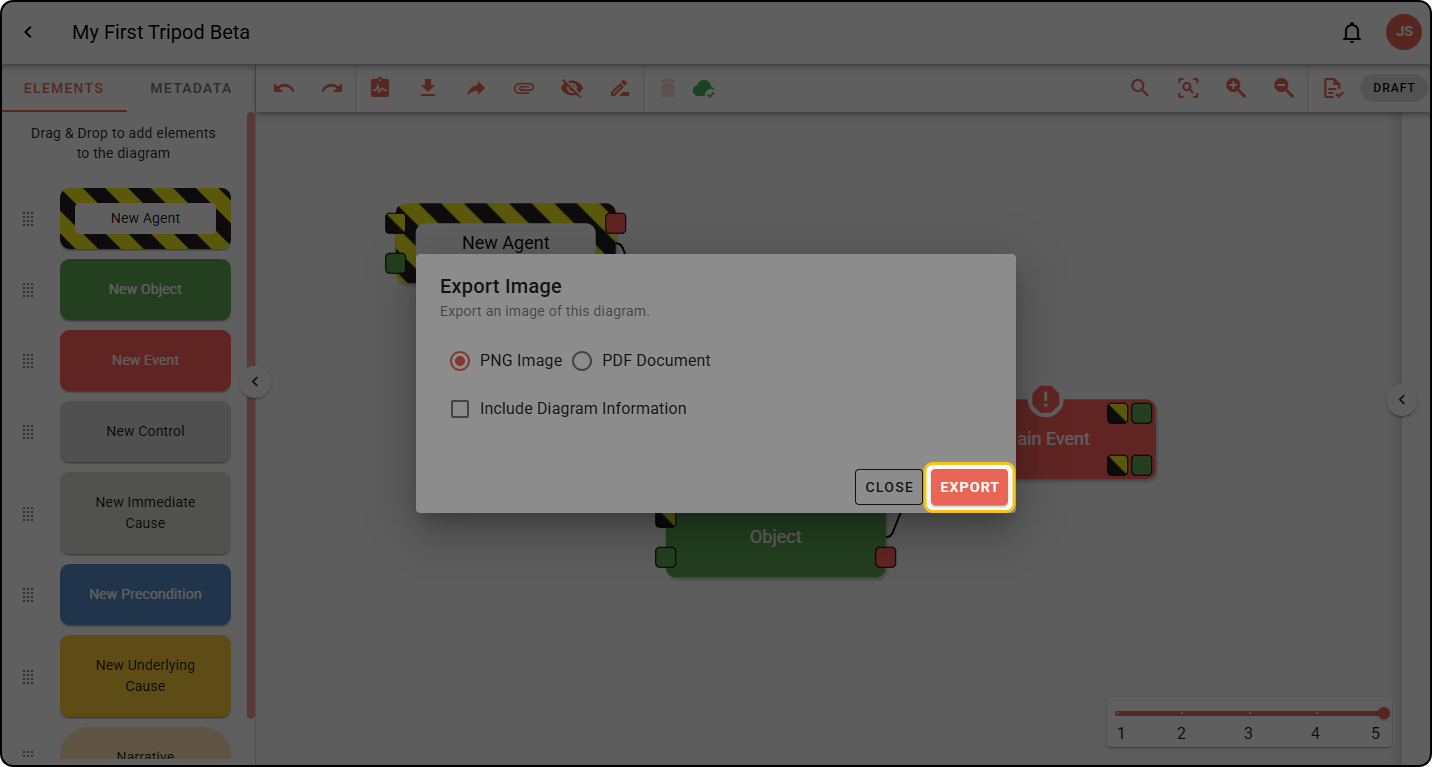
Step 2: Choose your settings, then download your diagram.
Back up your diagram
The backup of your Tripod Beta diagram contains raw data; it can be reimported using the IMPORT button in your Project menu, but is not intended to be modified directly.
Step 1: In the toolbar, click the download icon, then BACKUP. Your diagram will be downloaded as a .json file.