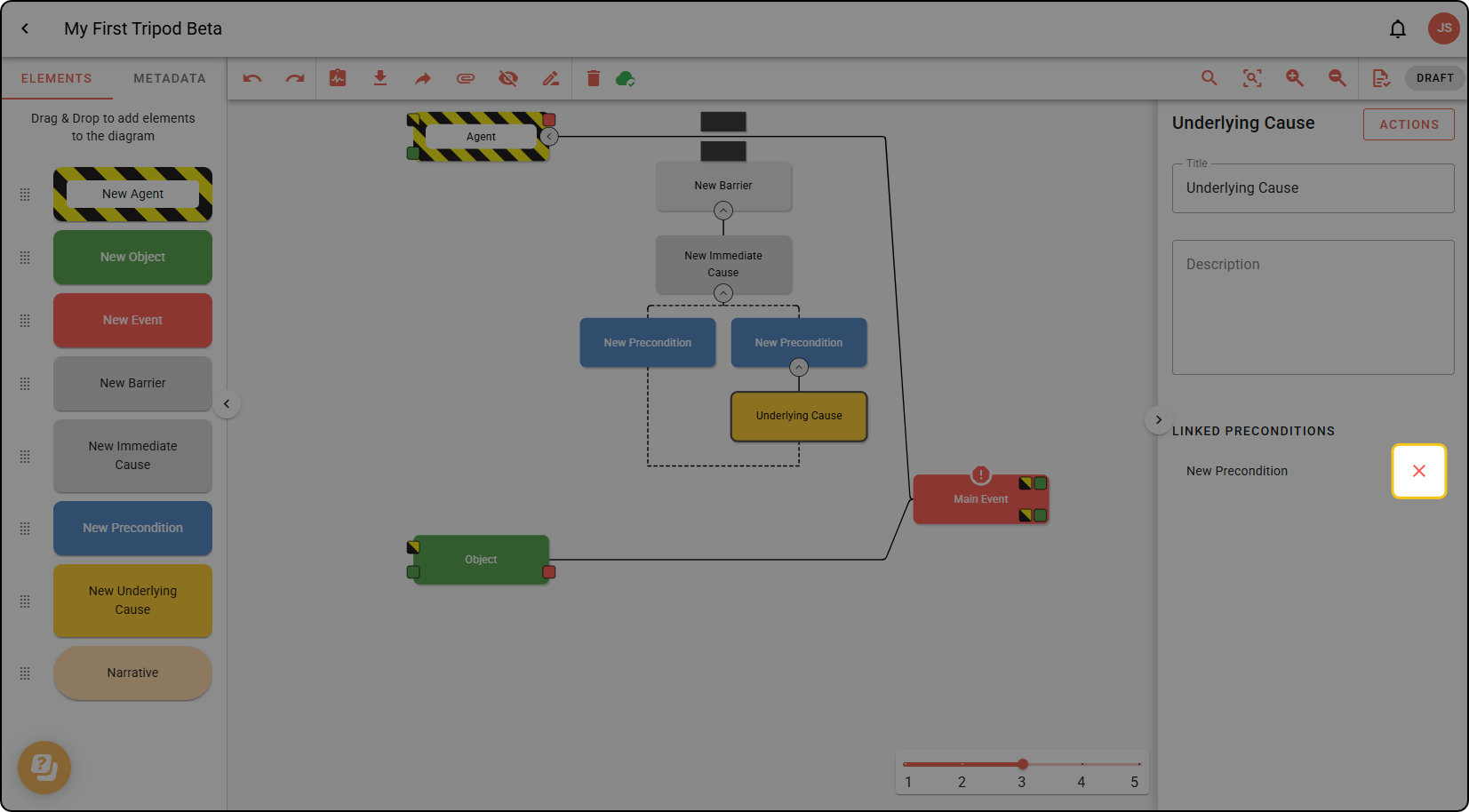
Linking an Underlying Cause to multiple Preconditions
In this tutorial, we’ll show you how to connect an underlying cause to multiple Preconditions within a cause tree.
A Tripod Beta diagram sometimes needs to show that an Underlying Cause (an organisational failure) was responsible for multiple Preconditions (attitudes and views) within the same cause tree.
An Underlying Cause can only be linked to a Precondition within its own cause tree.
Step 1: Drag the Precondition over the Underlying Cause.
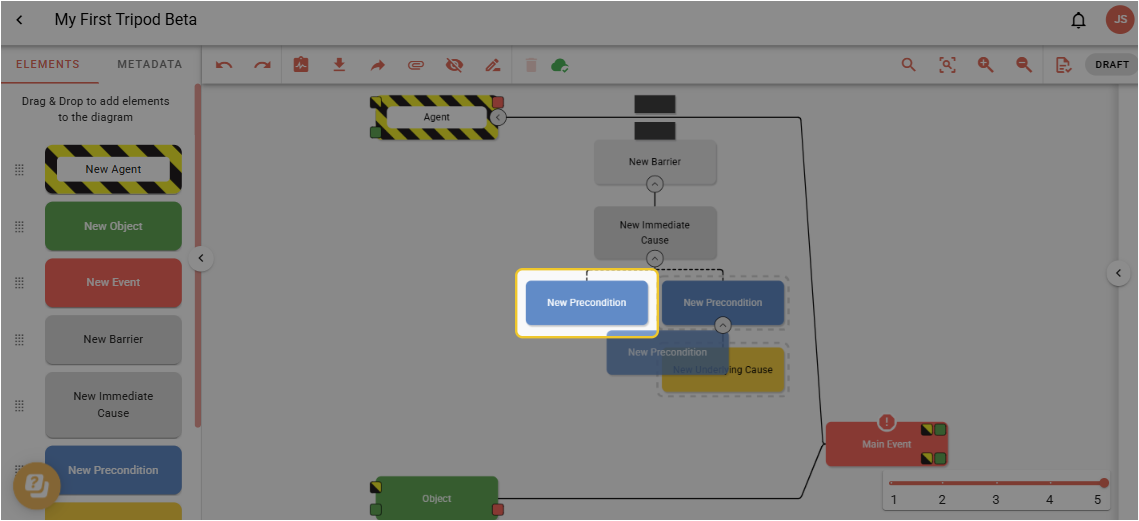
A line will appear to indicate the connection:
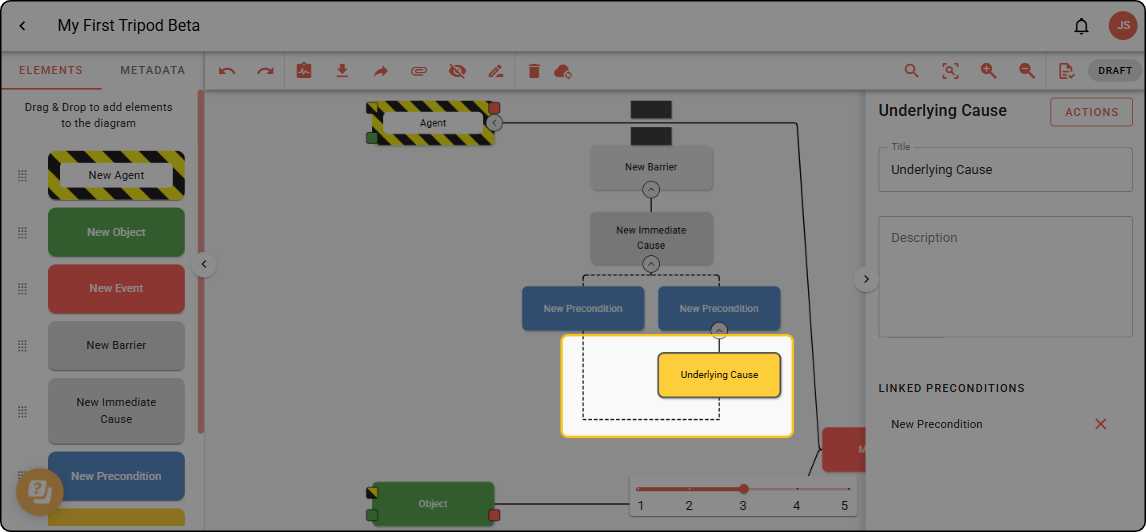
Unlinking a Precondition from an Underlying Cause
If you have linked an Underlying Cause to multiple Preconditions as shown above, they can be removed.
Step 1: Double click the Underlying Cause you want to remove the Precondition link from. In the right-hand sidebar, click the red X next to the Precondition you want to unlink.