Import from Excel
In this tutorial, we’ll show you how to populate your Element Library from an Excel template sheet.
Only Organisation Admins can import into the organisation’s Element Library.
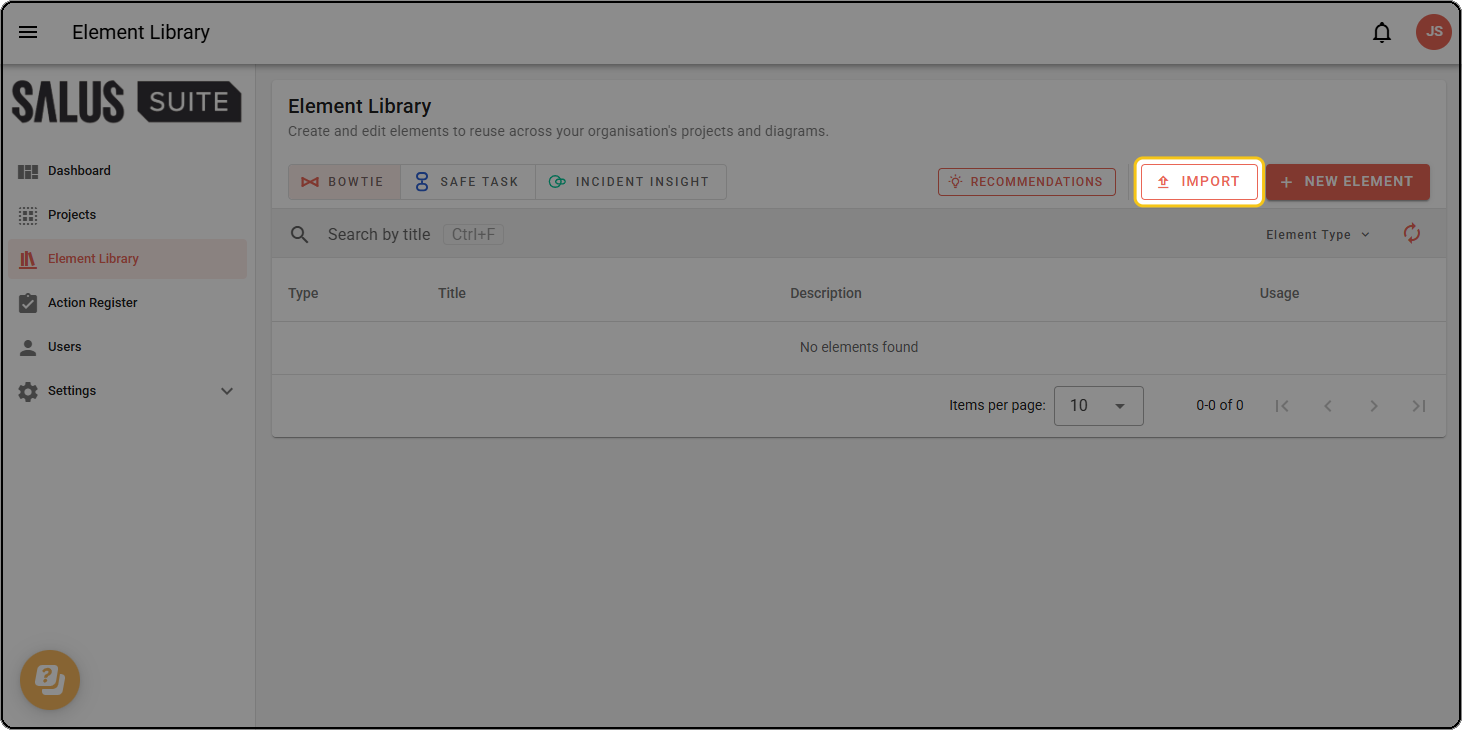
Step 1: From the Element Library page, click IMPORT.
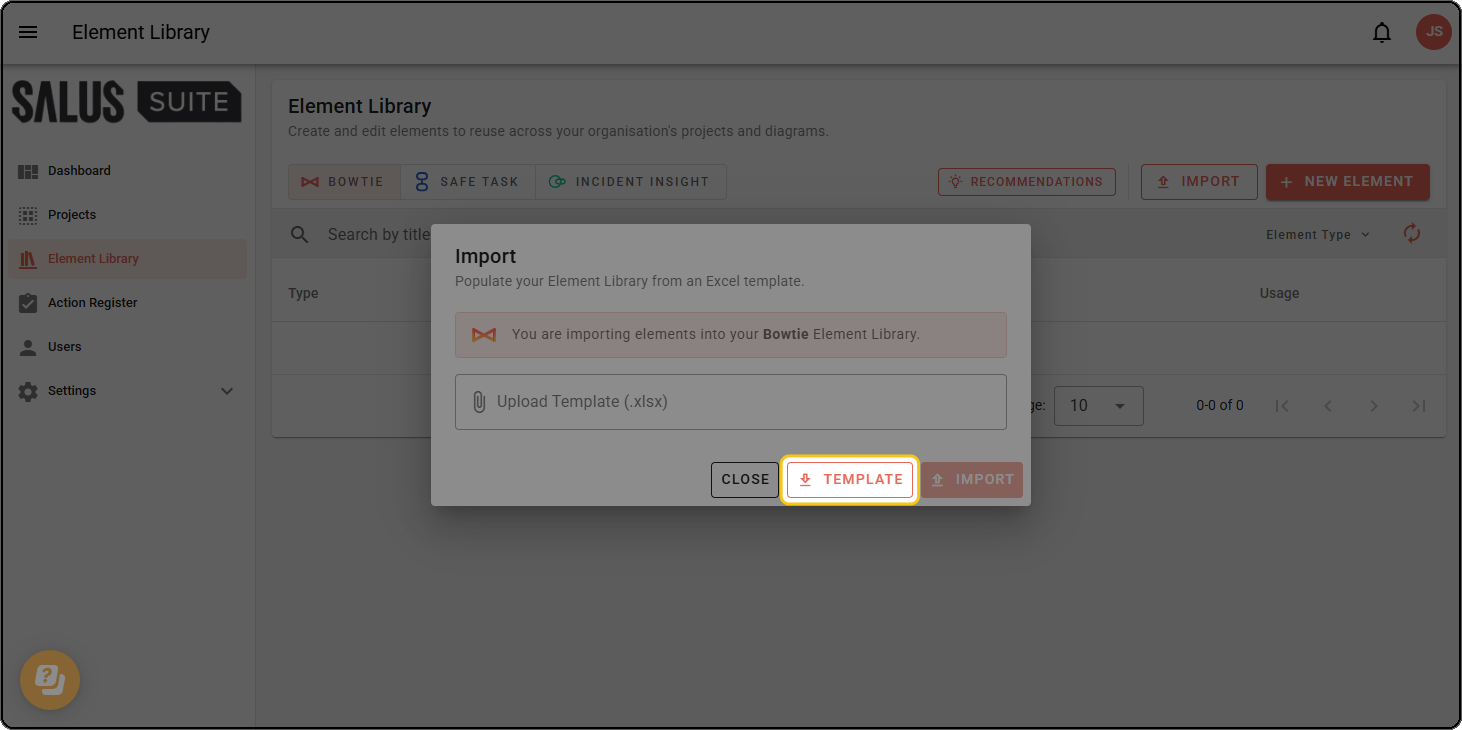
Step 2: In the dialogue, click TEMPLATE. This downloads an Excel sheet for you to fill out.
Step 3: Complete the downloaded sheet with your elements, then save it.
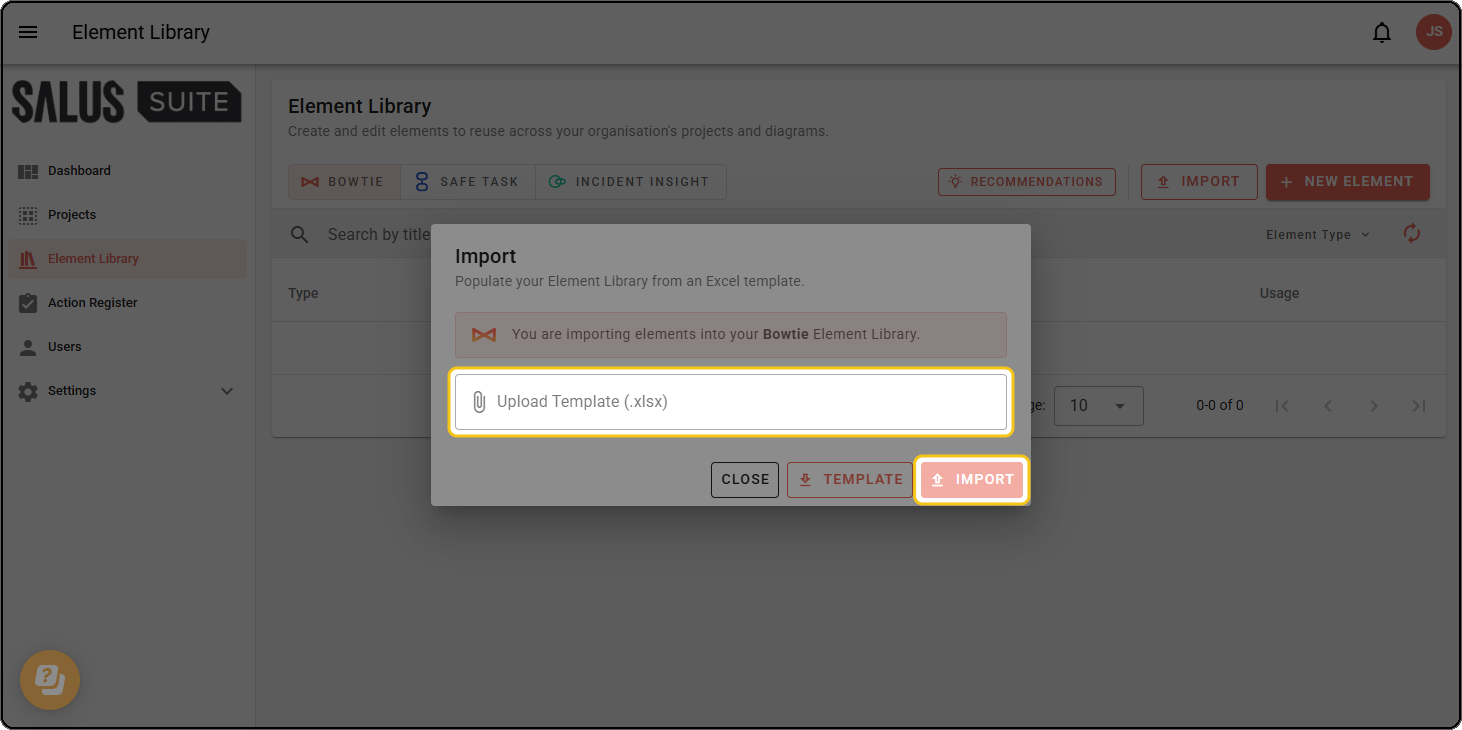
Step 4: Upload your completed sheet, then click IMPORT.