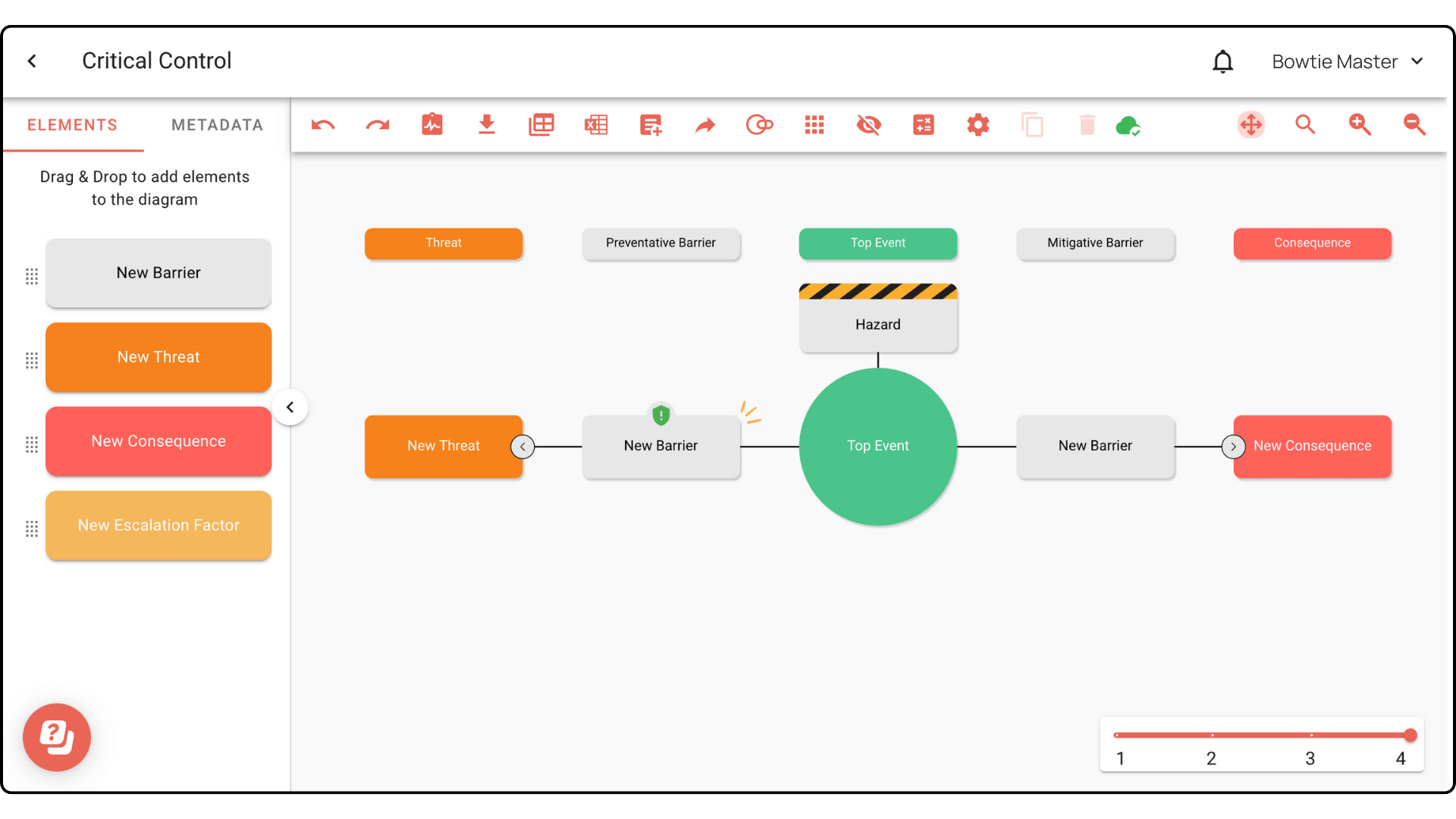
Mark your barriers as critical
Identify your critical controls by marking specific barriers.
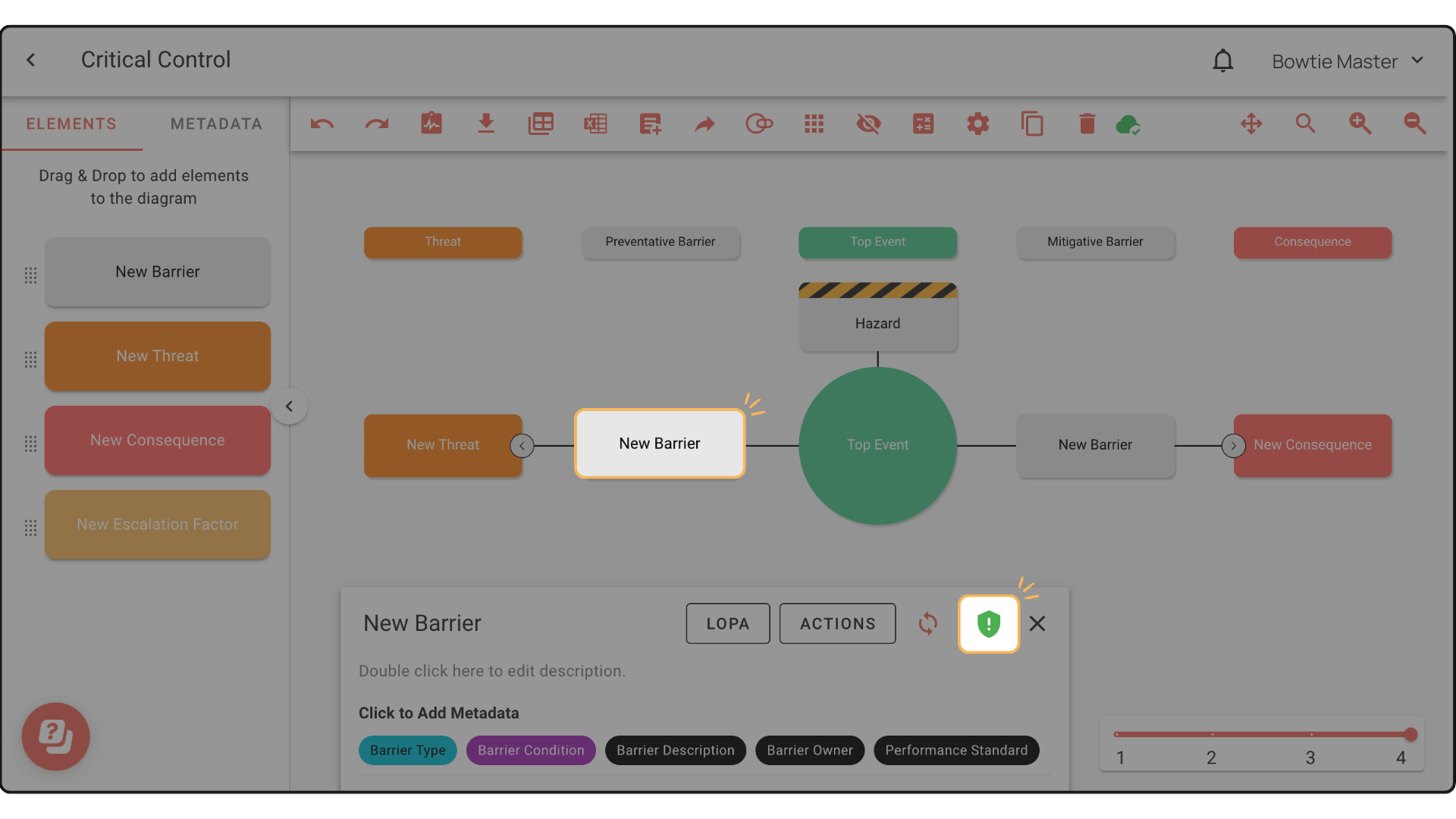
Step 1: In your diagram, click the barrier you want to mark as critical.
Step 2: In the Element Description Box, click the shield icon to mark the barrier.
The shield icon will appear on the barrier in the diagram to show its new status.