Reset password
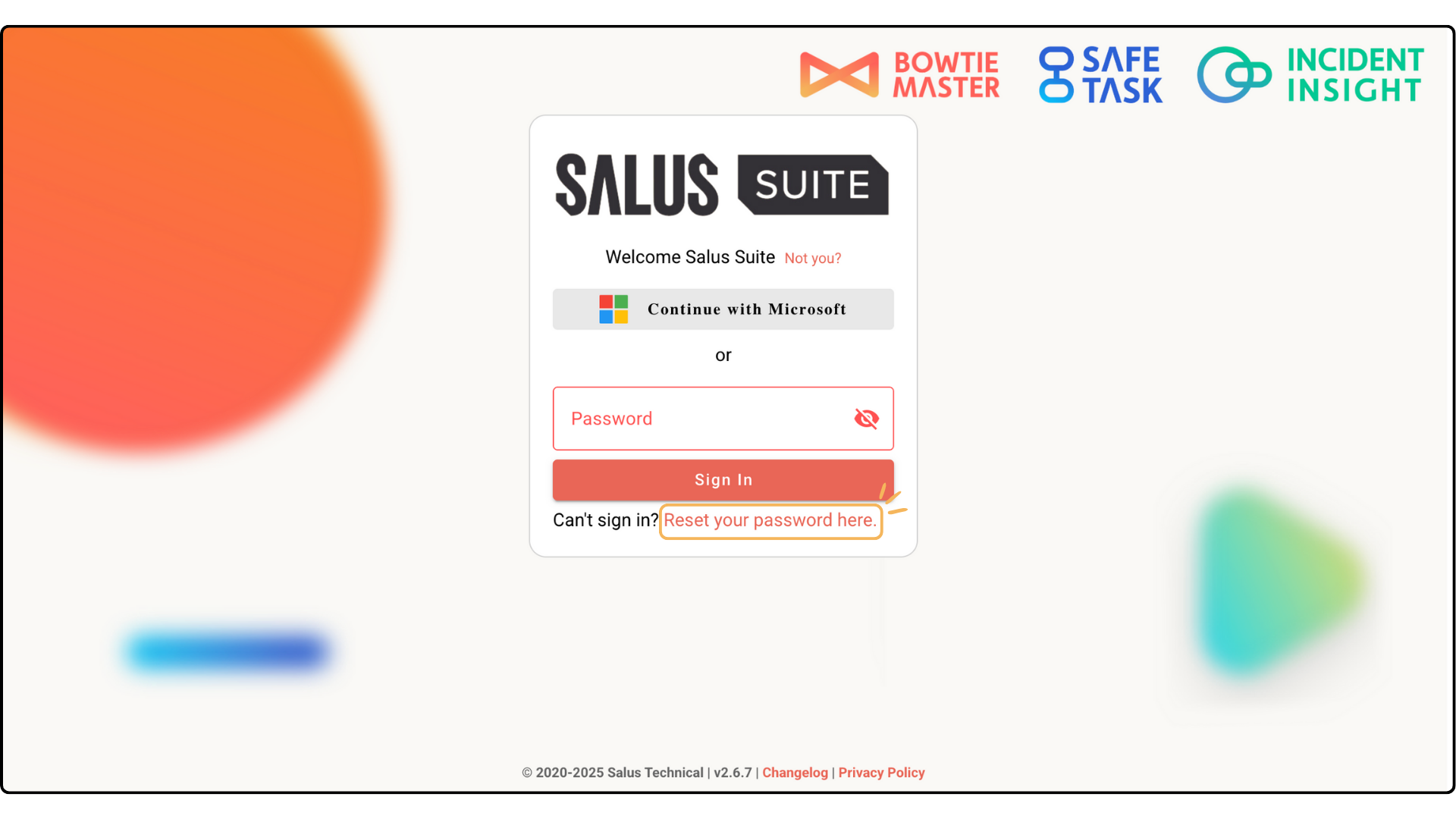
Step 1: Head to the Salus Suite login page and click Reset your password here.
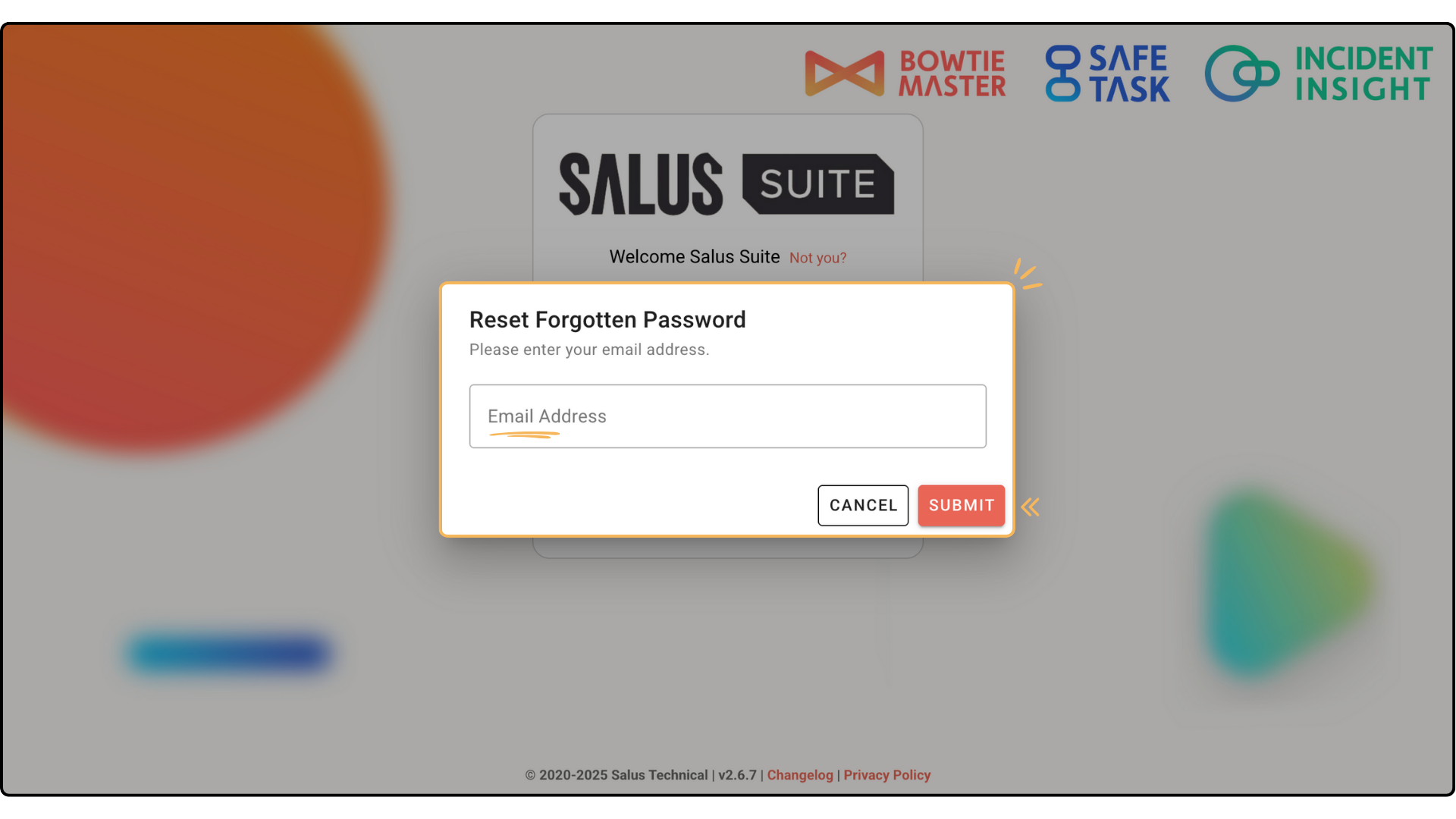
Step 2: Complete the Email Address field, then click SUBMIT.
Step 3: Open your email inbox. You’ll have an email from support@salus-suite.com with a link to reset your password. Click the link and follow the instructions.
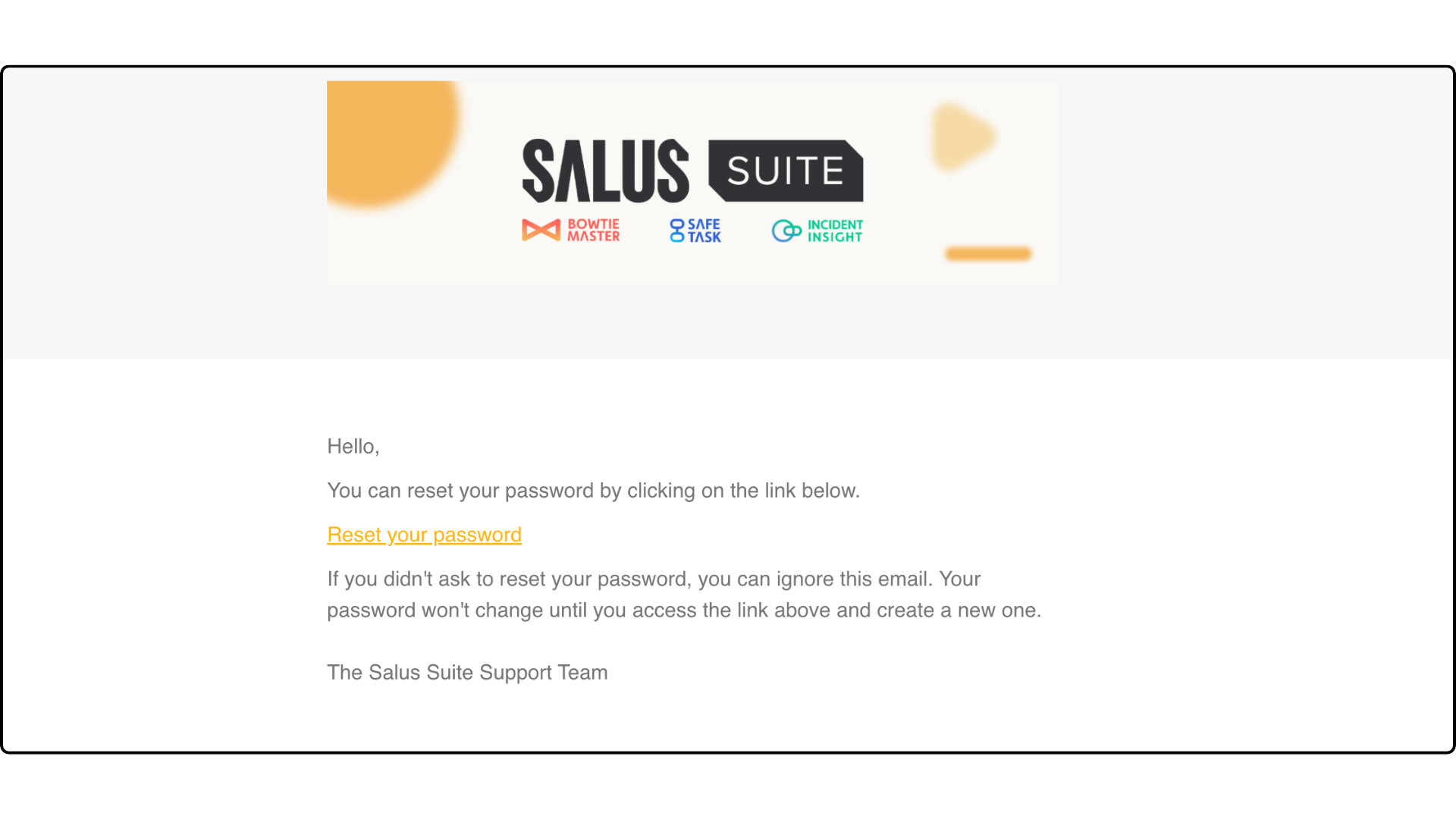
If you haven’t received the email, check your junk folder. If it’s still missing, get in touch.