Project metadata
In this tutorial, we’ll show you how to create and manage metadata for a specific project.
You can only use project-level metadata within its project. Organisation- and project-level metadata will automatically be added to new diagrams.
Step 1: Open a project.
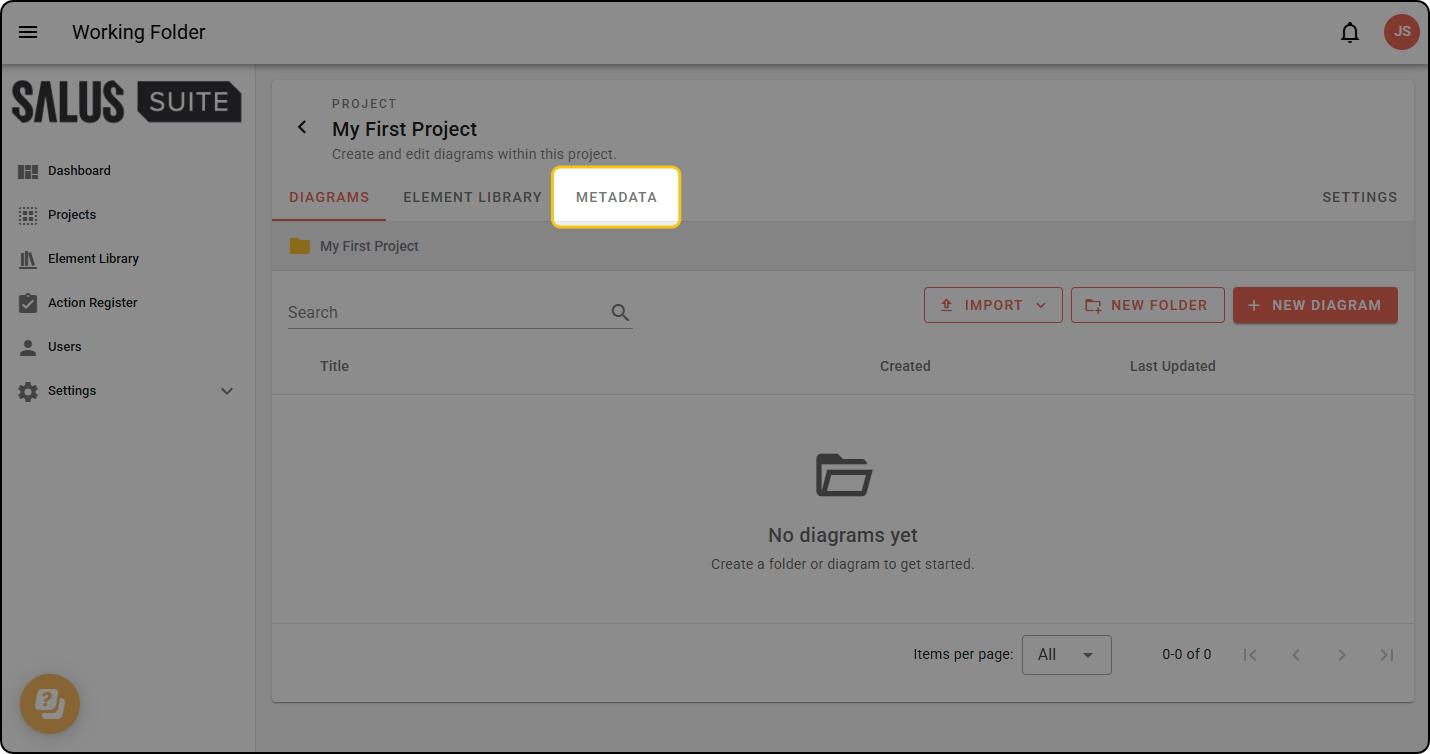
Step 2: Open the PROJECT METADATA tab within the project view.
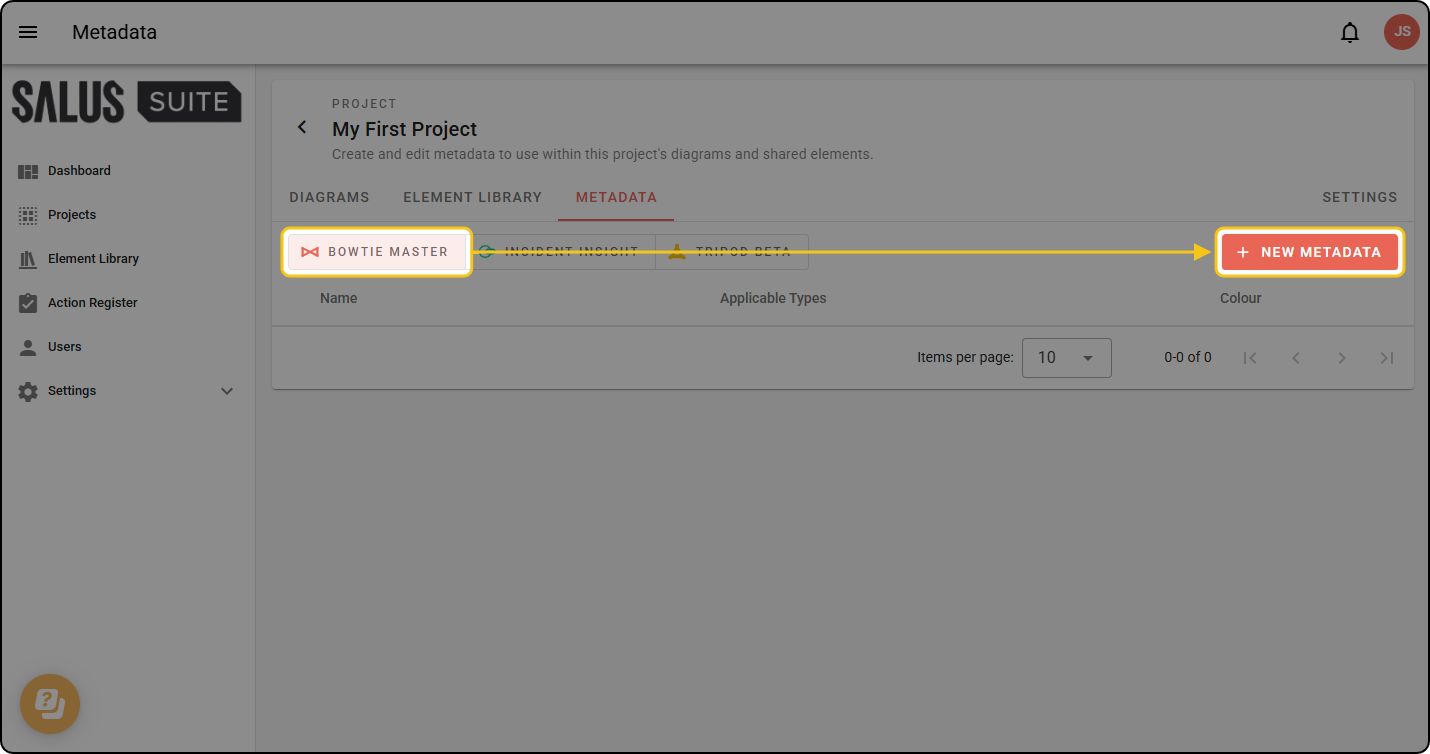
Step 3: Select the diagram type you want to create metadata for, and click + NEW METADATA.
Step 4: Give your metadata a name and colour, then choose its Type:
- Free text - users type any value.
- Options - users pick from a list you define. Click + ADD OPTION for each option and give it a name and colour.
Tick COPY TO NEW DIAGRAMS if the metadata should be added to every new diagram in the project automatically. Click SAVE when done.
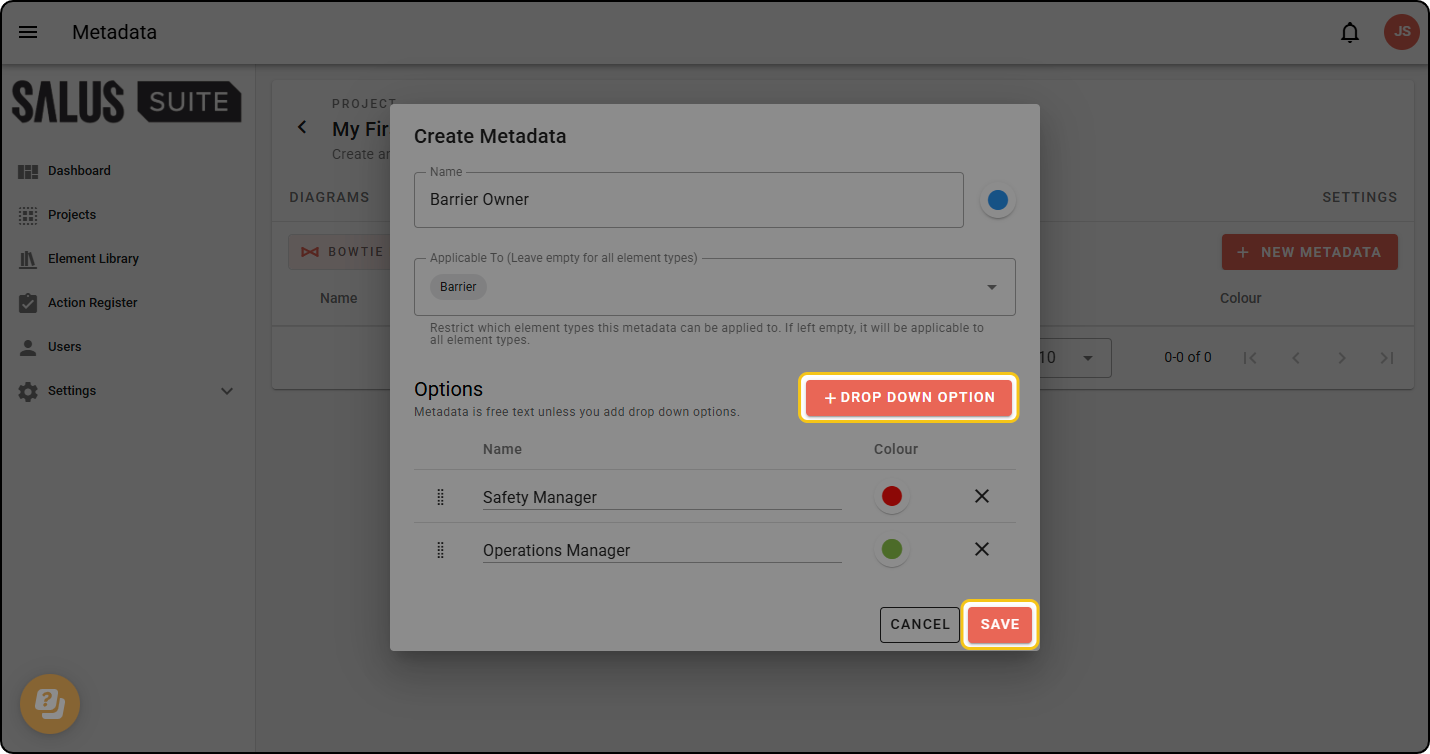
You can restrict the types of diagram element a metadata can be applied to, for example ensuring that “Barrier Owner” is only applicable to Barriers.