Apply an Object to an incident investigation
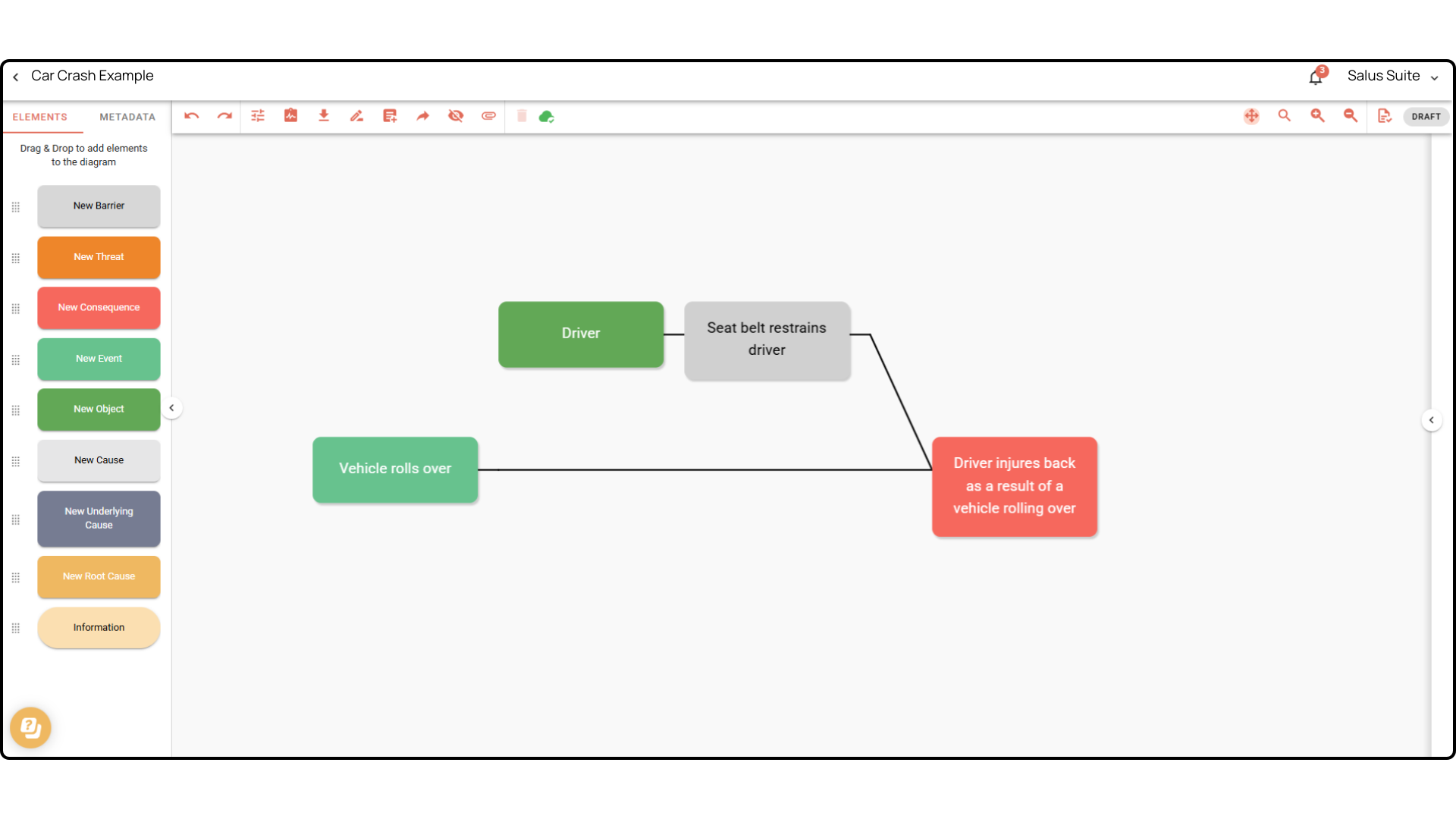
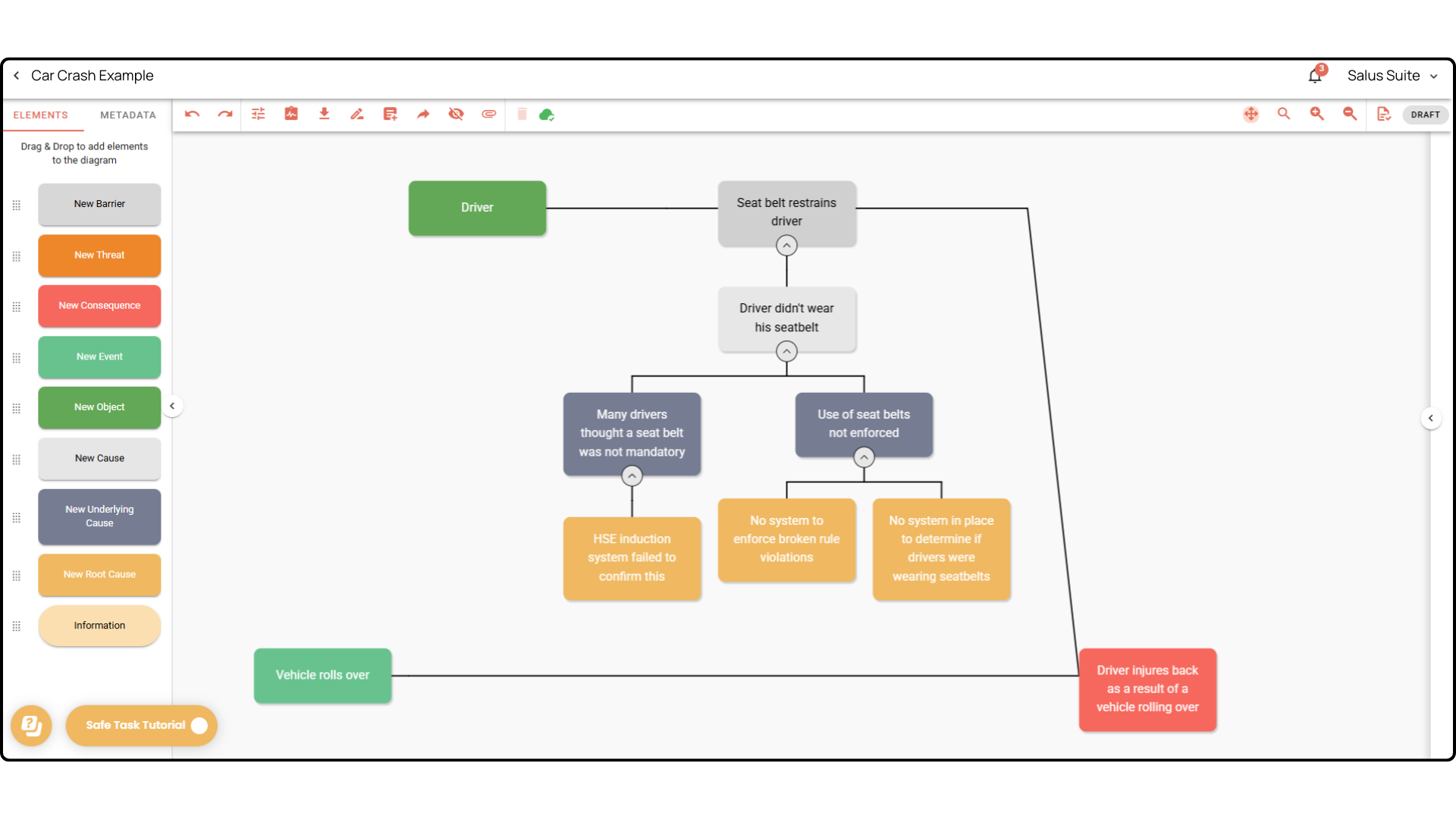
Incident Insight offers a range of elements to help you build the most effective investigation possible. Different businesses use different investigation techniques, and one fixed solution rarely suits all.
An Object is the item, system or person exposed to the Agent of Change, and therefore the thing that suffers (or could suffer) the consequence. It helps you align with investigation methodologies for mapping larger incidents with multiple initiating events.
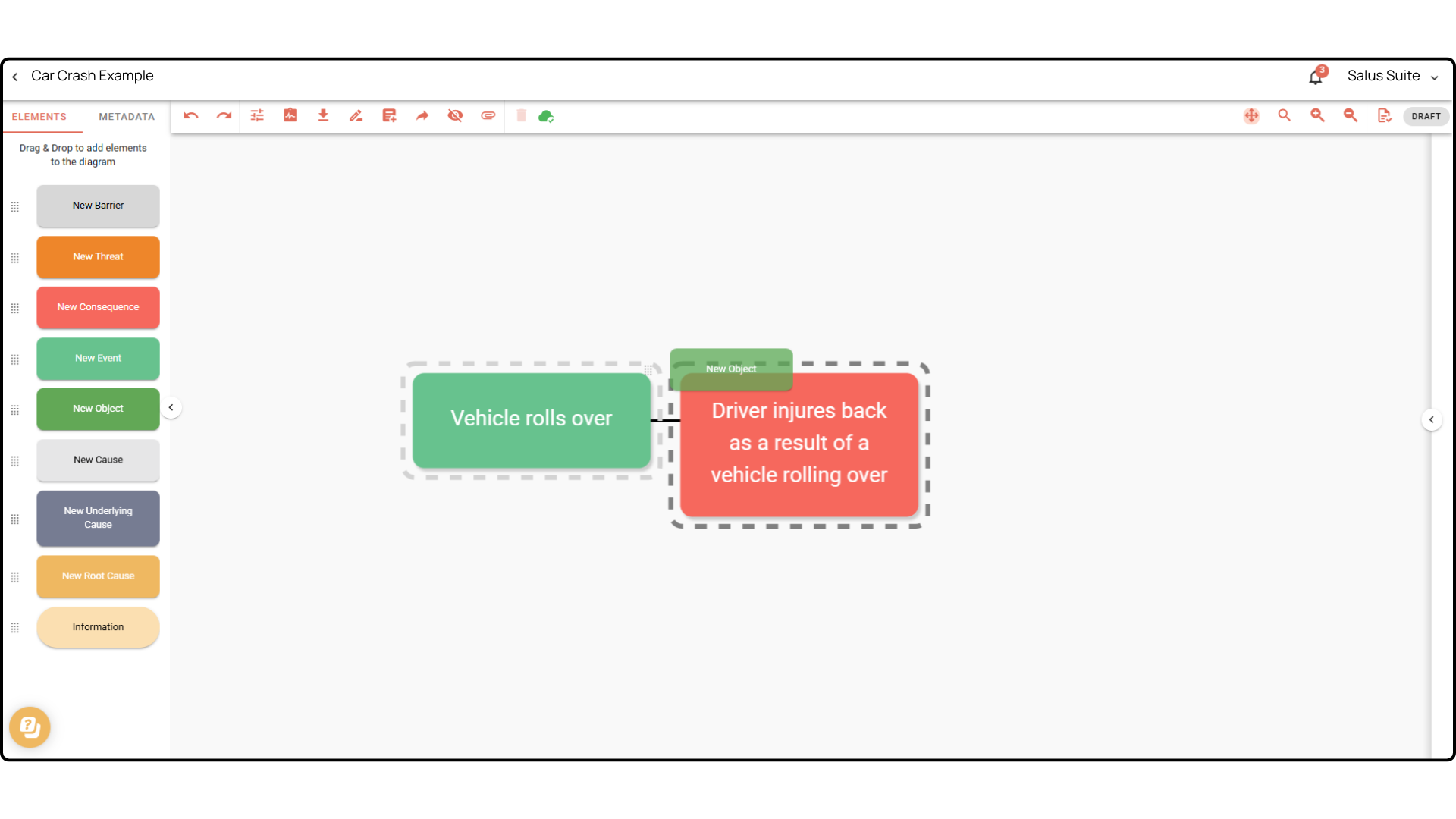
Step 1: Drag an element into the diagram. In this example we’ve placed an Event and a Consequence. Once you’ve identified where the Object fits in the timeline, drag and drop it within the black dashed lines. An Object can only be dropped onto a Threat, Consequence or Event.
Step 2: Once it’s in place, keep building out the investigation - add Barriers and carry out a root cause analysis.