Adding metadata in bulk
In this tutorial, we’ll show you how to add a new metadata type to your existing projects and diagrams.
This feature is not available in Safe Task.
If your organisation has a new metadata that needs added to a large number of diagrams, you can do it all in one step: search and choose exactly which diagrams to add the new metadata to.
Step 1: Create the new metadata at either Organisation or Project level.
Only Organisation Admins can manage organisation-level metadata.
Step 2: Click the clock icon on the metadata you want to add to diagrams.
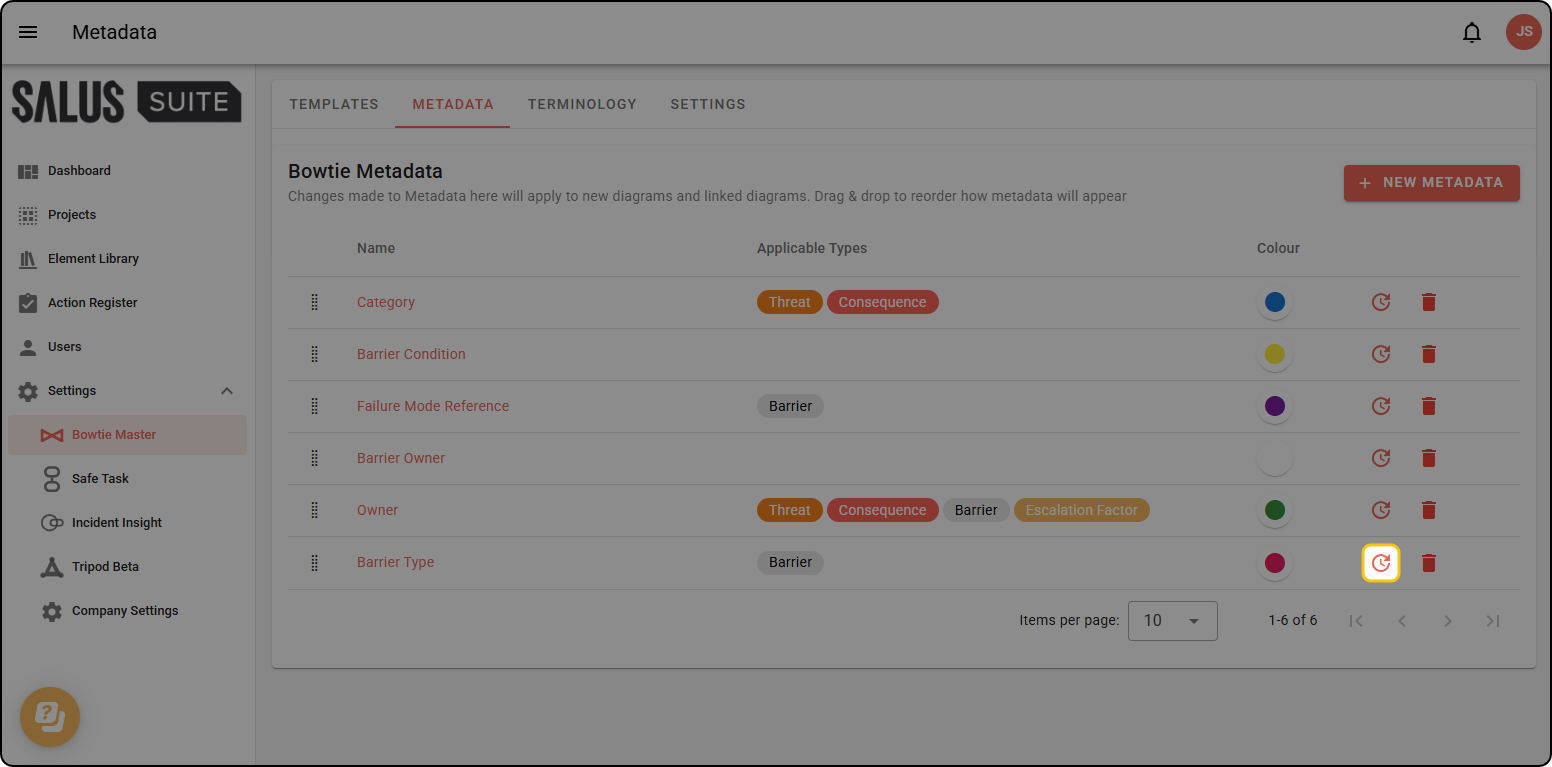
Step 3: This opens a dialog. Select the projects and/or diagrams you’d like to add the metadata to. Click ADD METADATA when done.
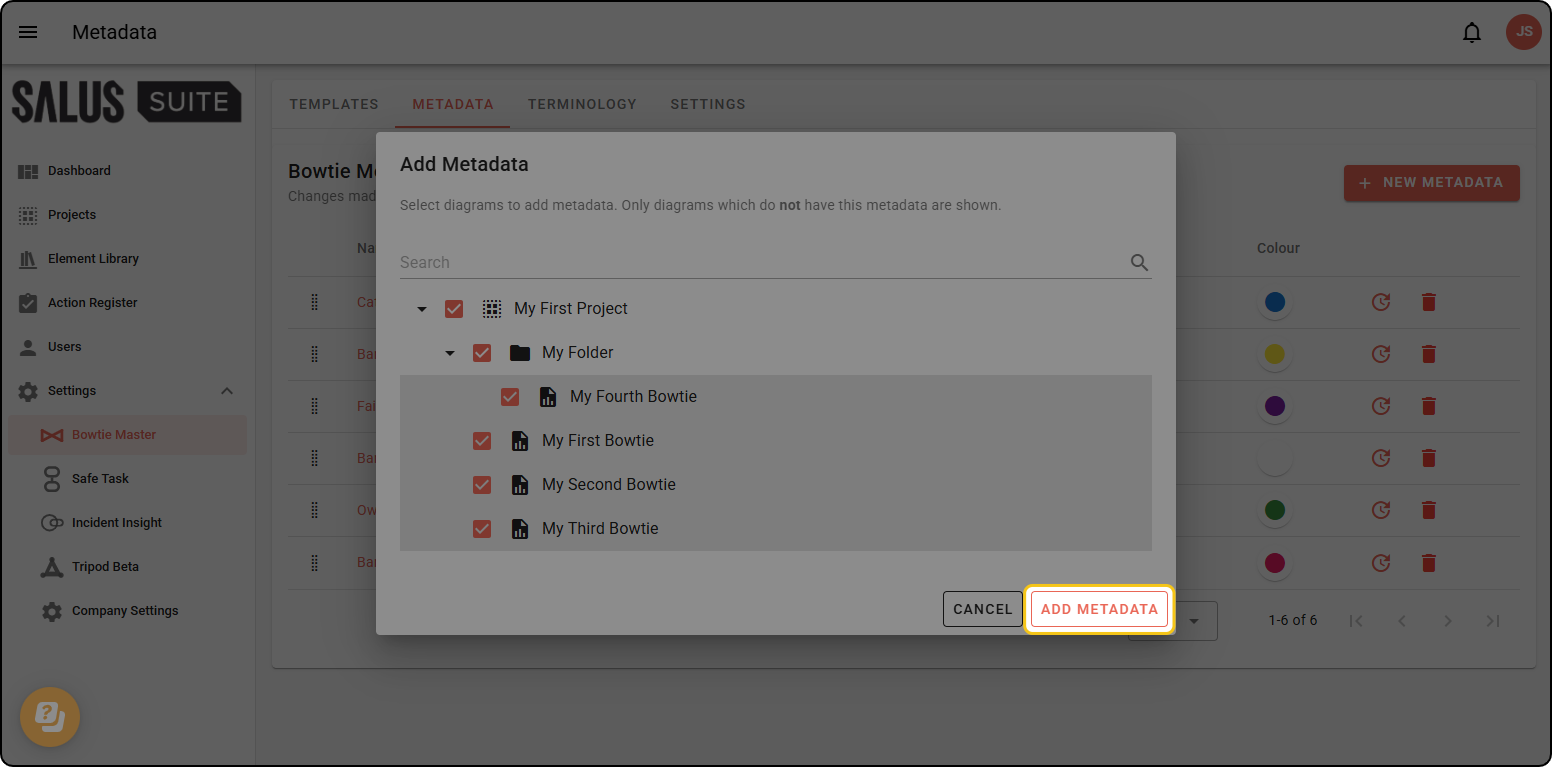
The newly-added metadata is linked by default, and will be kept in sync with subsequent changes.