Publish an element to the library
In this tutorial, we’ll show you how to publish an existing diagram element to the Element Library, allowing it to be reused elsewhere.
Publishing adds an element from a diagram to the Element Library. The diagram element becomes linked: it can no longer be edited in the diagram and is automatically kept in sync with the library.
Step 1: Open a diagram.
Step 2: Double-click to select the element you want to publish.
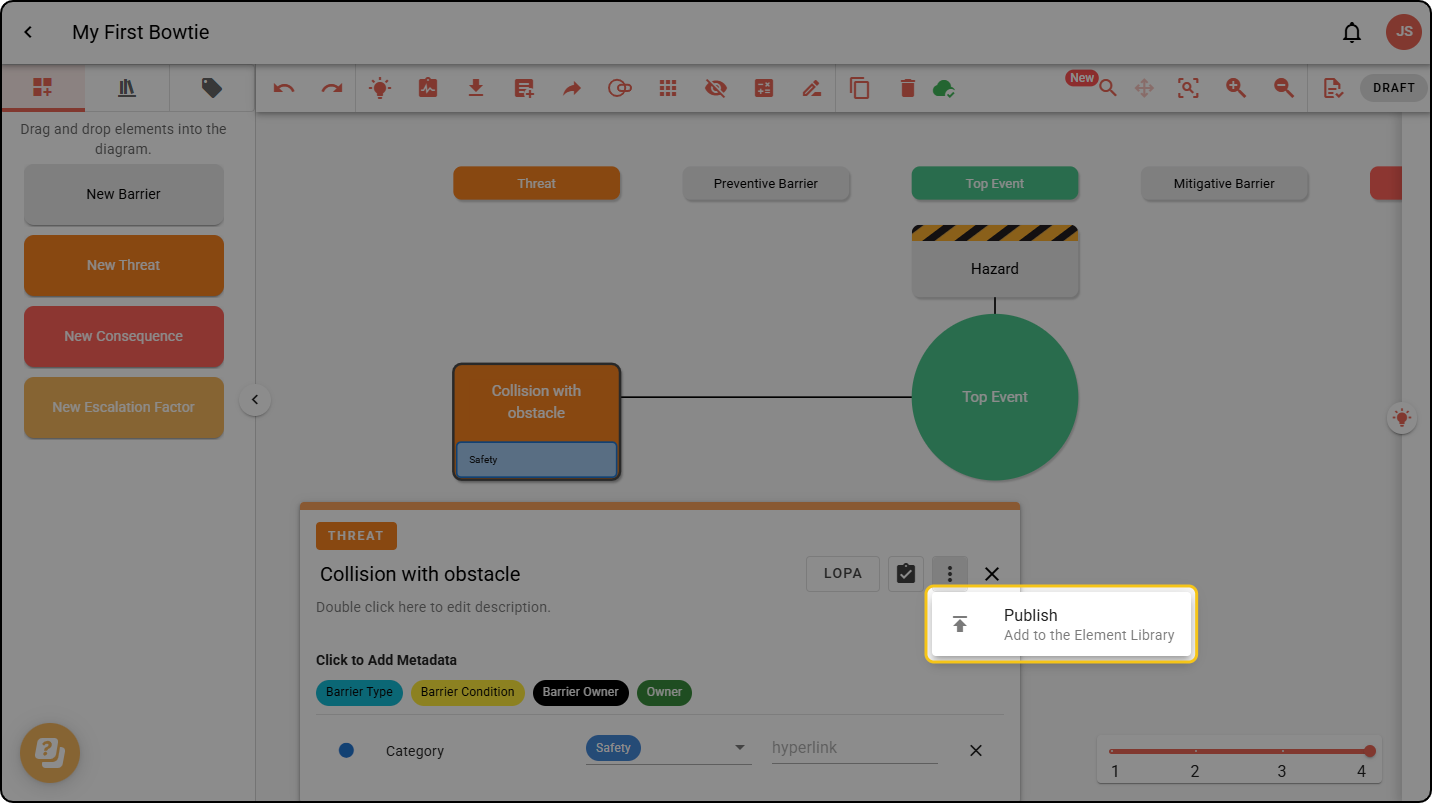
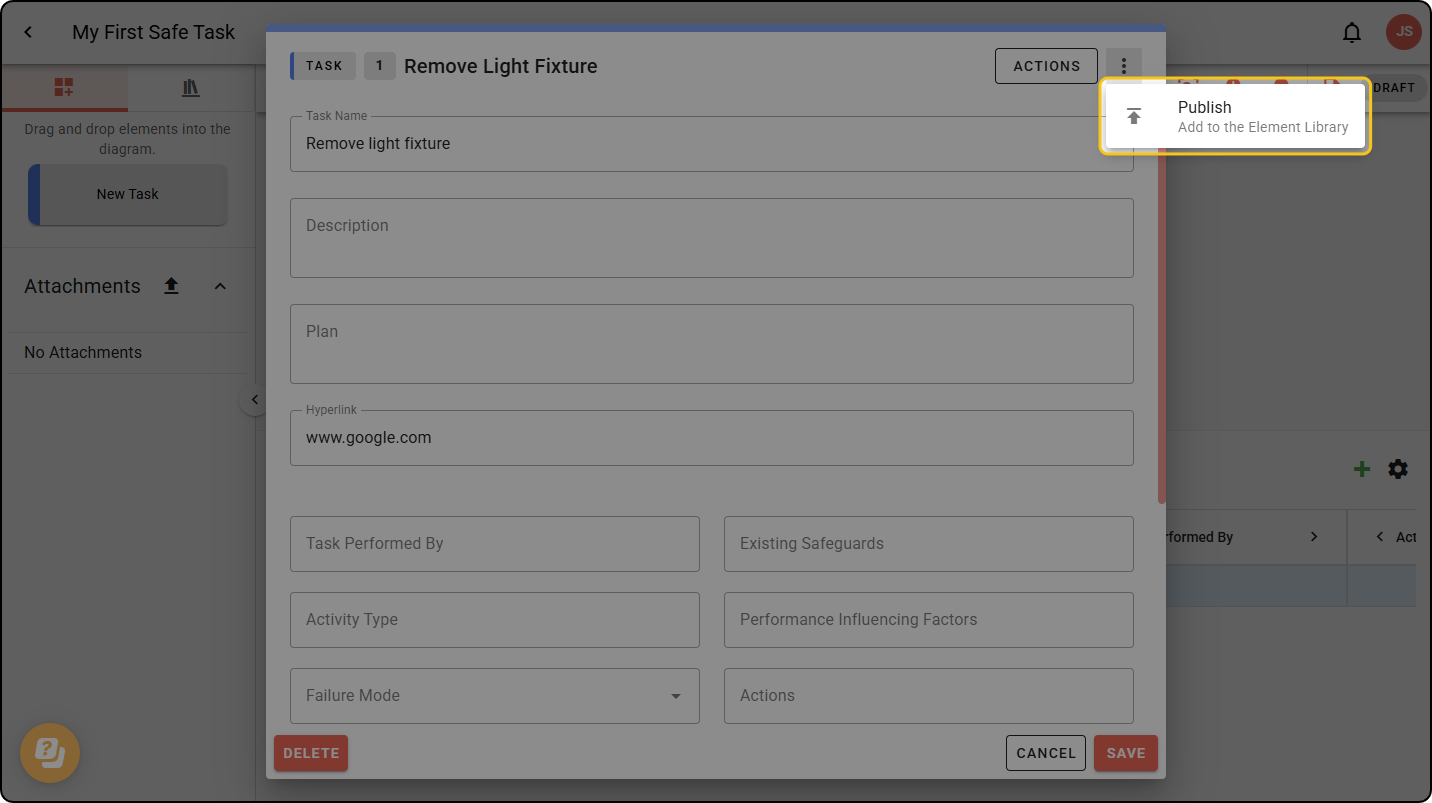
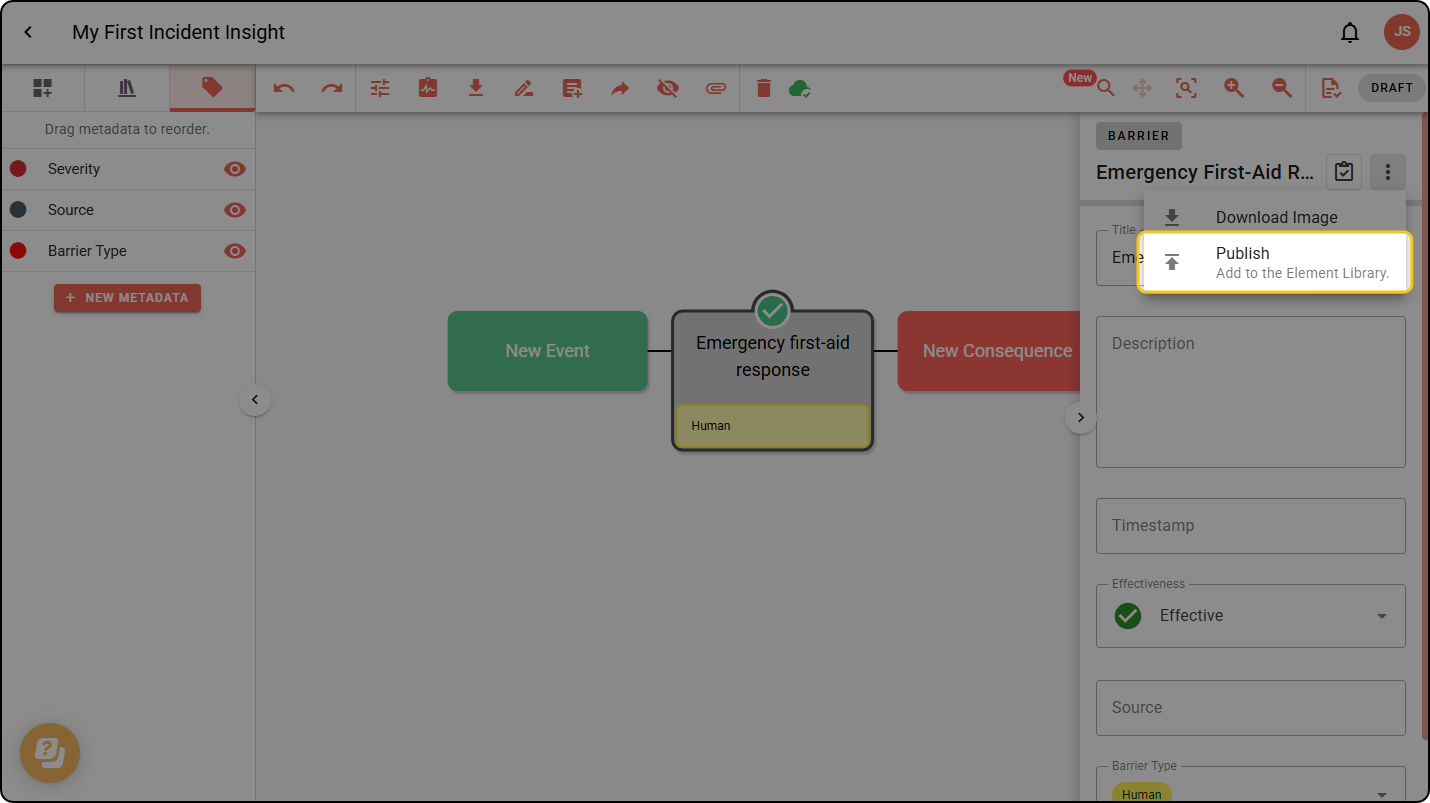
Step 3: Open the three-dot menu and select Publish.
The menu location is different in each diagram type. Examples for all are shown below.
Bowtie
Safe Task
Incident Insight
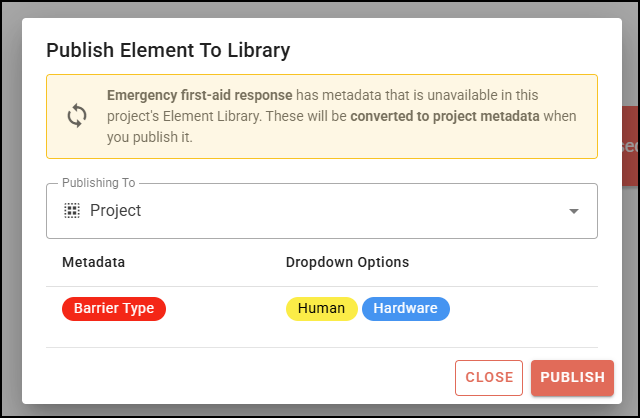
Step 4: A confirmation dialogue appears, summarising which (if any) metadata will be published with the element. Choose Project or Organisation under Publishing To, then click PUBLISH.
Only Organisation Admins can publish an element to the organisation’s Element Library.