Sync barriers
The Element Library allows you to create diagram elements which are automatically kept in sync and provides an overview of usage throughout your organisation. This is recommended over Sync Barriers if enabled by your organisation.
When the same barriers prevent or mitigate different consequences, syncing saves you from adding metadata to each one. Instead, sync all barriers with the same name - across a single diagram or an entire project.
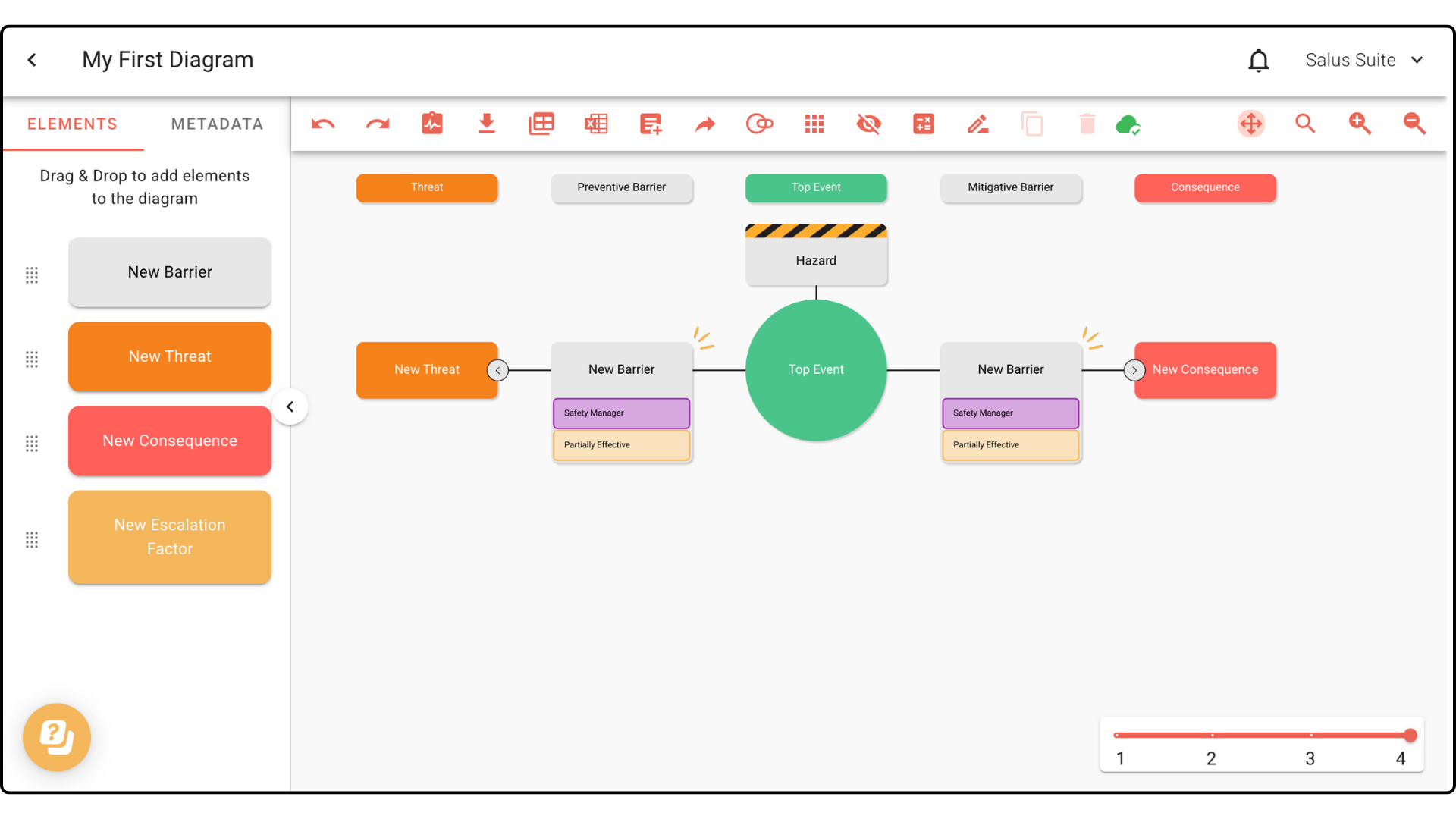
In this example, we have two barriers with the same name to sync.
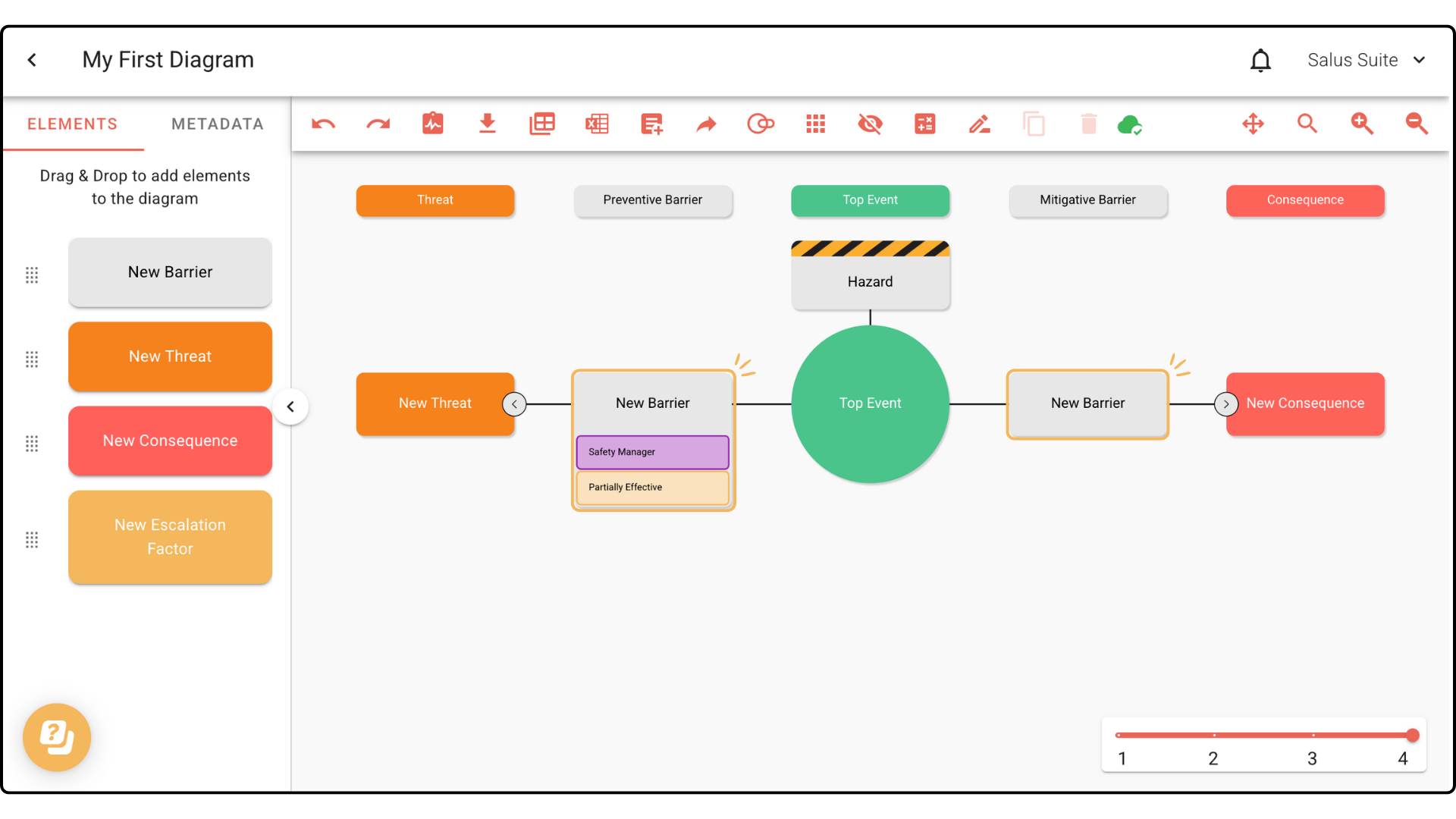
Step 1: In your diagram, double-click a barrier you want to sync.
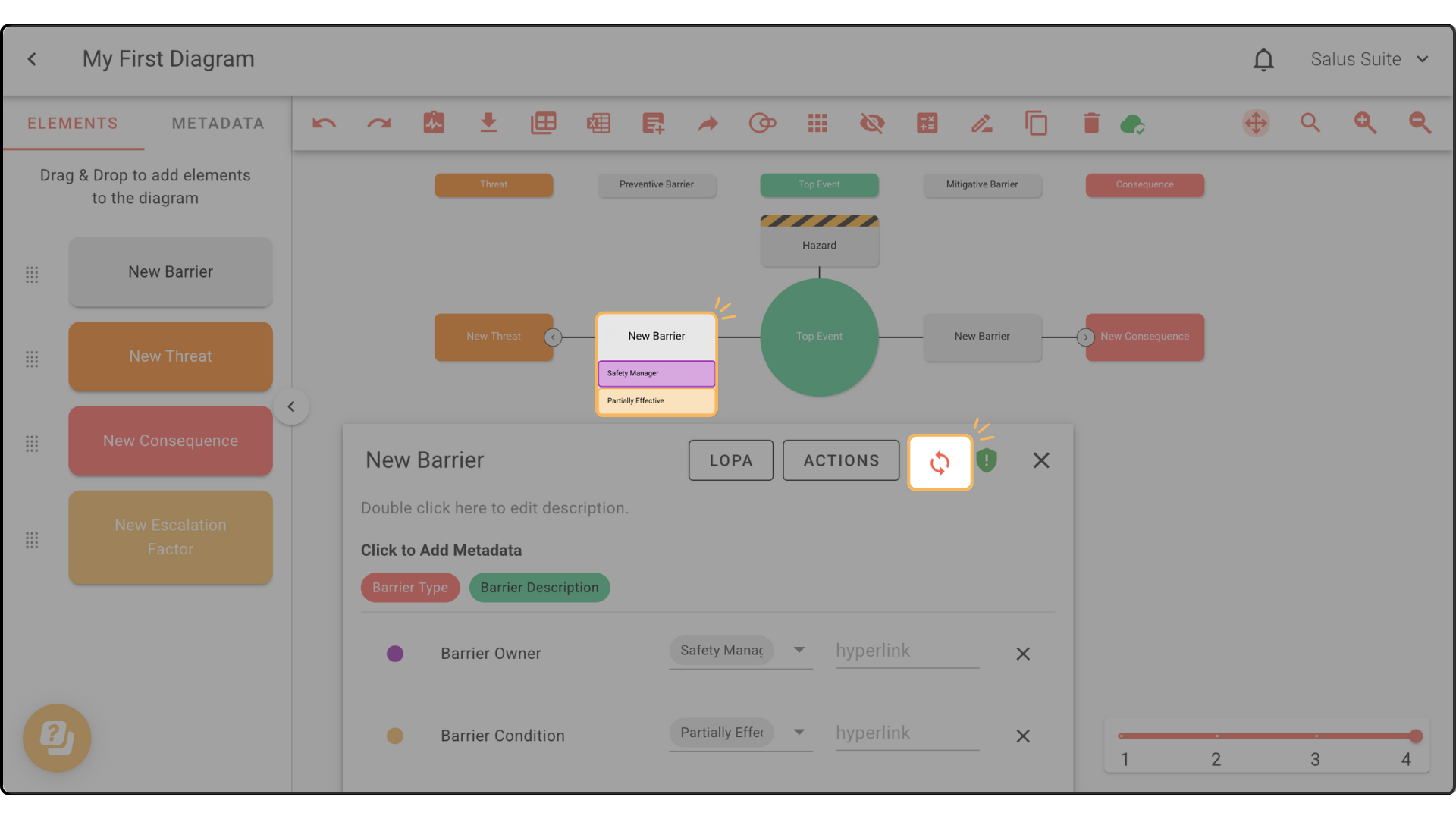
Step 2: In the Element Description Box, click the sync icon. Add any other metadata before syncing if you wish.
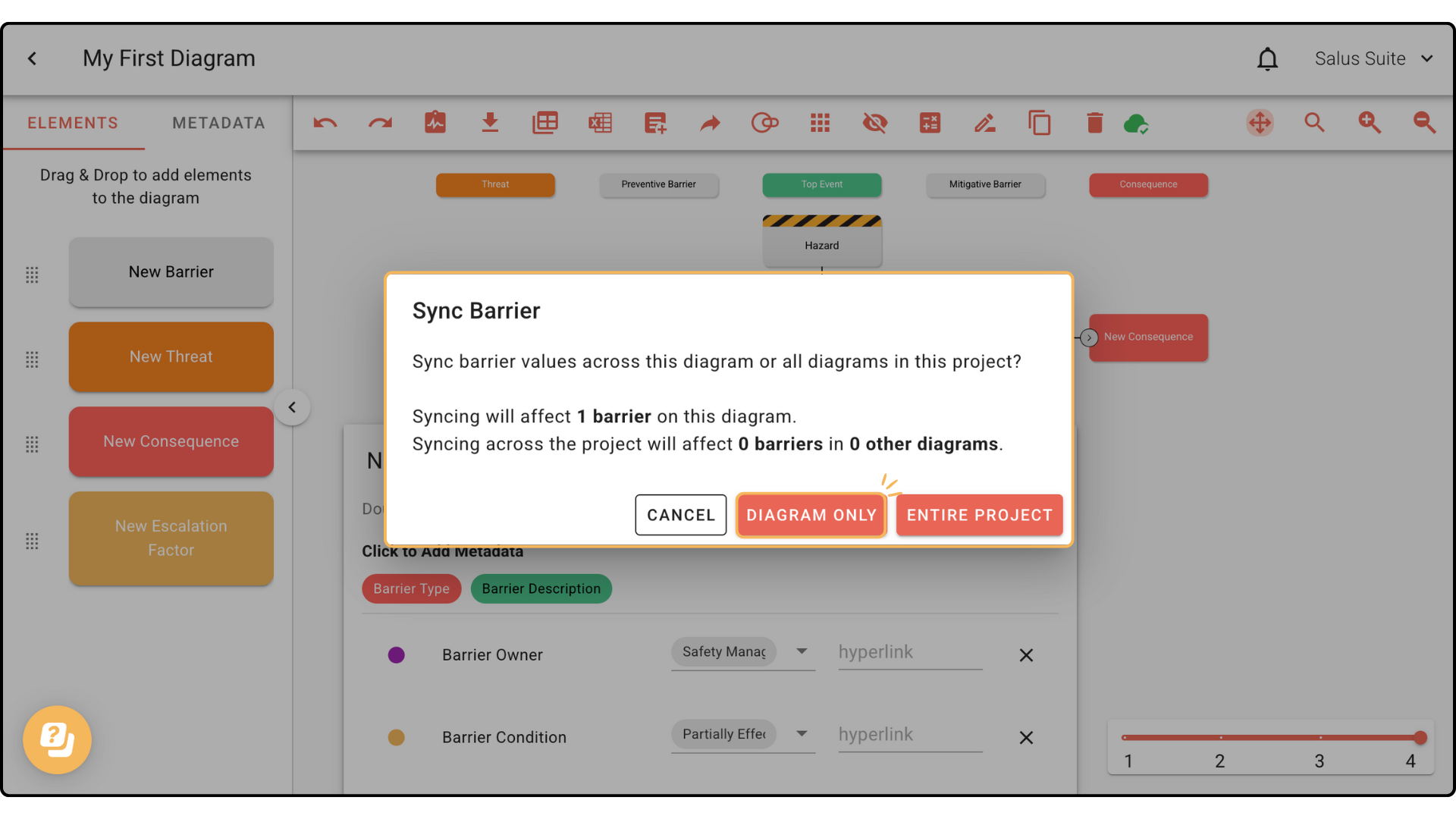
Step 3: In the pop-up, choose to sync this barrier in this diagram only or across the entire project.
Barriers with the same name are now fully synced.