Identify common elements
In this tutorial, we’ll show you how to identify duplicate elements across multiple diagrams or projects and replace them with a single item from your Element Library.
This can be done at both organisation and project level.
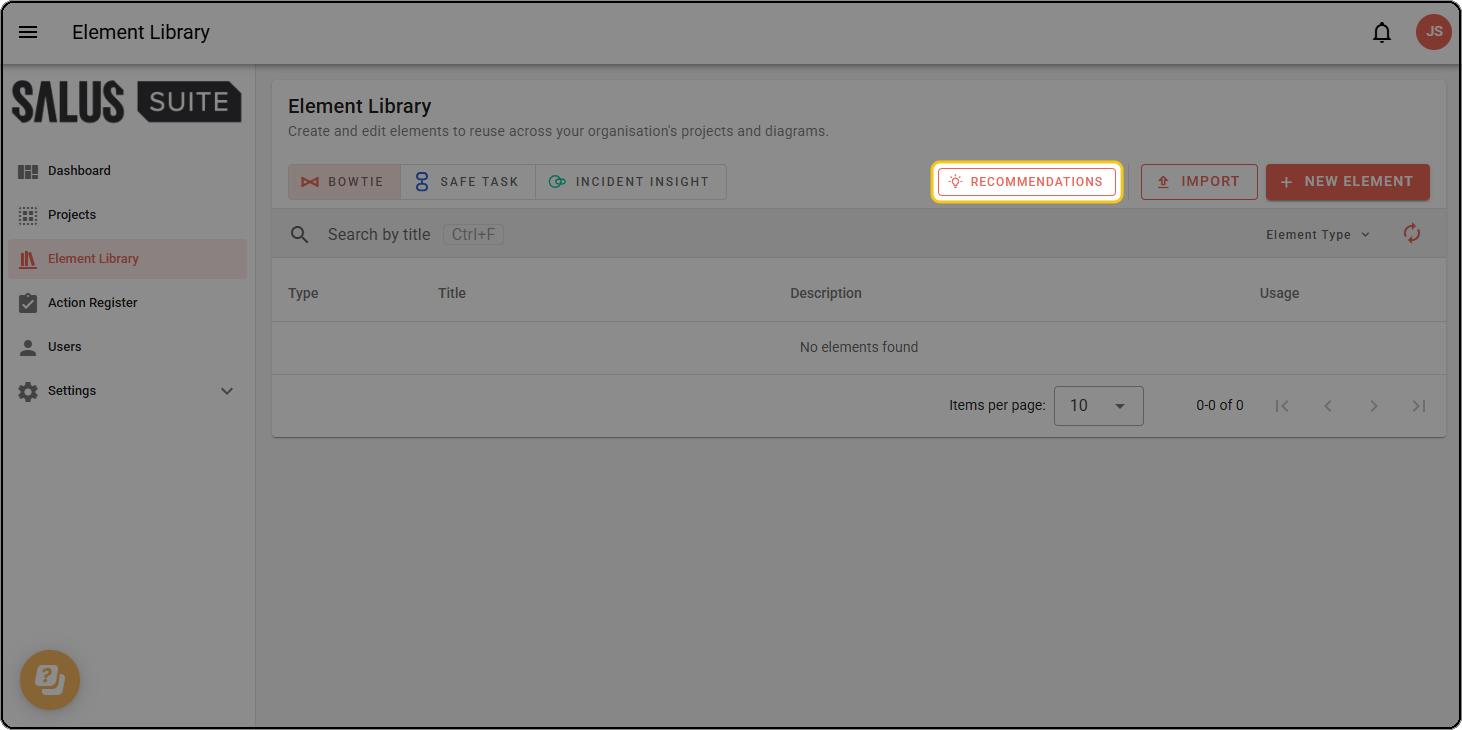
Step 1: From the Element Library page, click RECOMMENDATIONS.
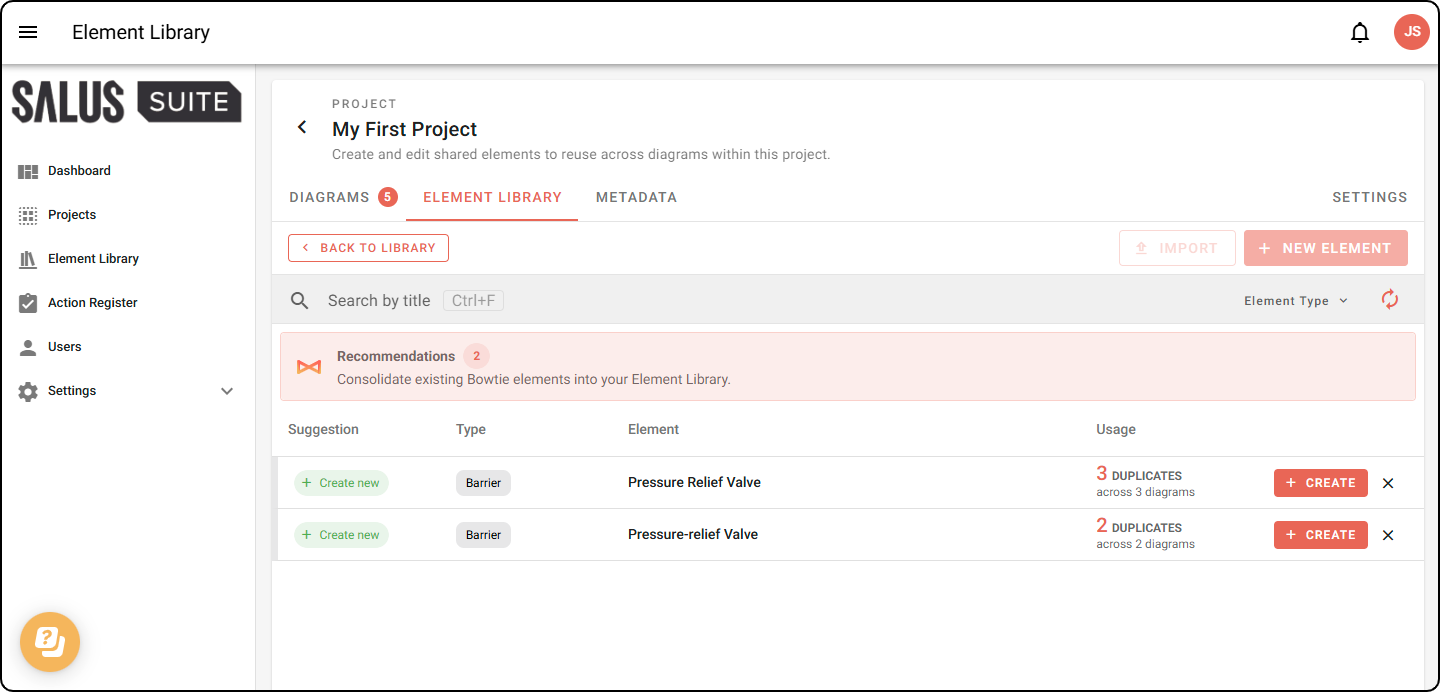
Step 2: The Recommendations page opens, listing elements that are repeated across your diagrams. Each row shows the element type, its name and how many duplicates exist across how many diagrams.
Step 3: To consolidate a repeated element, click CREATE on its row.
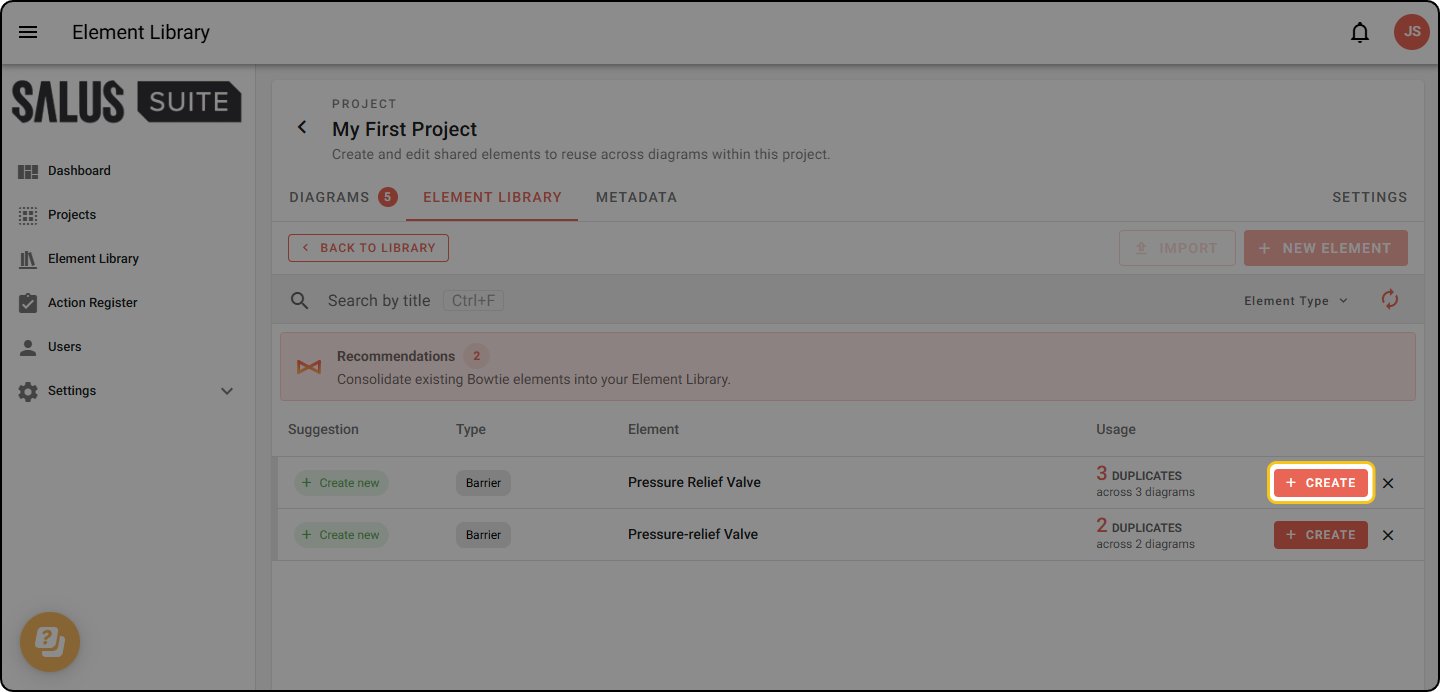
If a repeated element is similar to an existing element in your library, the button says LINK instead. This skips the creation of a new element.
Step 4: This opens the Bulk Link dialogue, where you can create a new element. Fill out the details and add metadata as needed, then click NEXT.
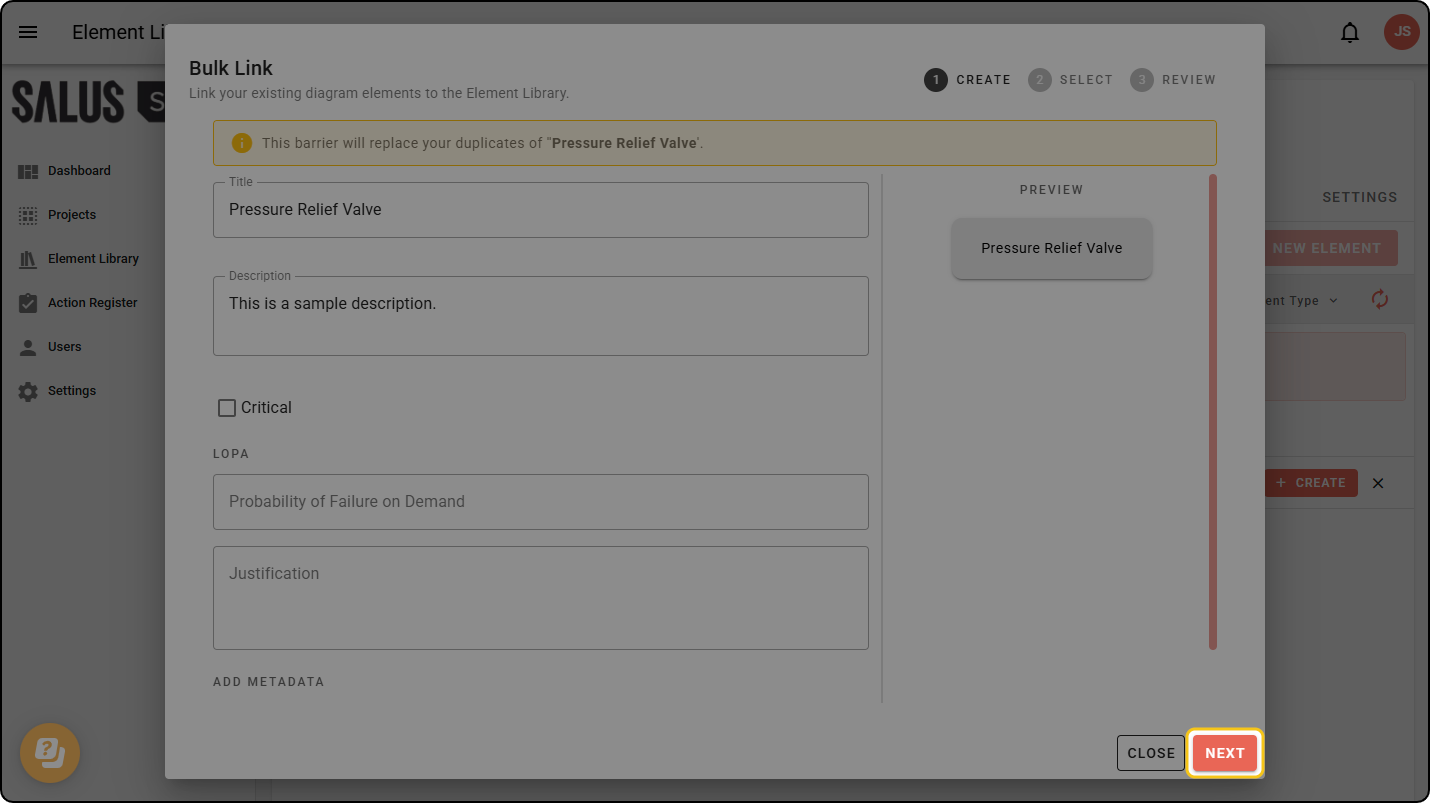
Step 5: Complete steps 3-4 of the Linking elements in bulk guide.
Restrict or relax access
By default, a project’s Element Library is only accessible to the project’s owner and Organisation Admins. This can be changed in project settings