Unlink an element
In this tutorial, we’ll show you how to unlink a library element so that it can be edited in a diagram.
A linked element cannot be edited in a diagram and is automatically kept in sync with the Element Library. Unlinking removes the link, so the element belongs to that diagram alone - it becomes editable there and no longer receives updates from the library.
An unlinked element is no longer automatically kept in sync with subsequent edits in the library.
Step 1: Open a diagram.
Step 2: Double-click to select the element you want to unlink.
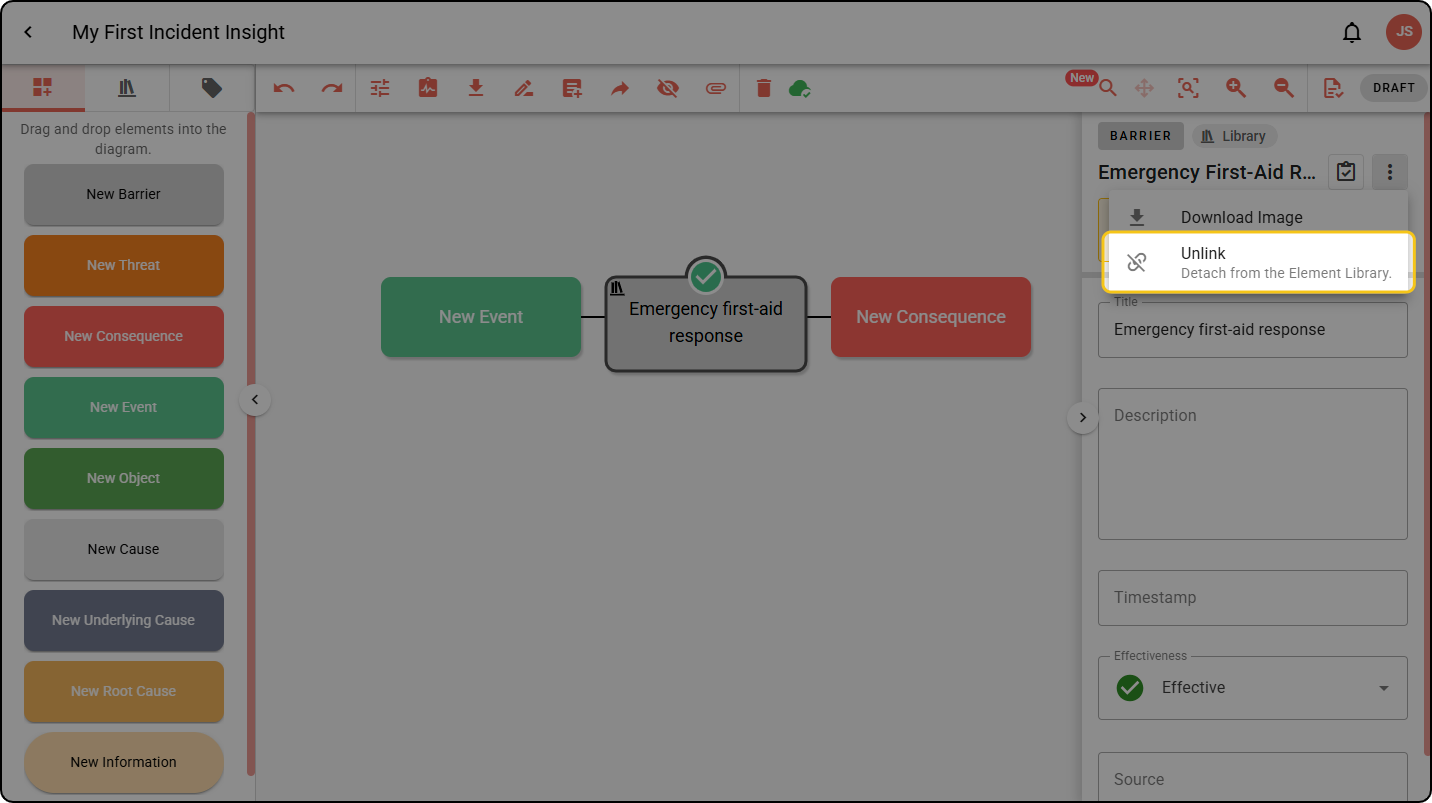
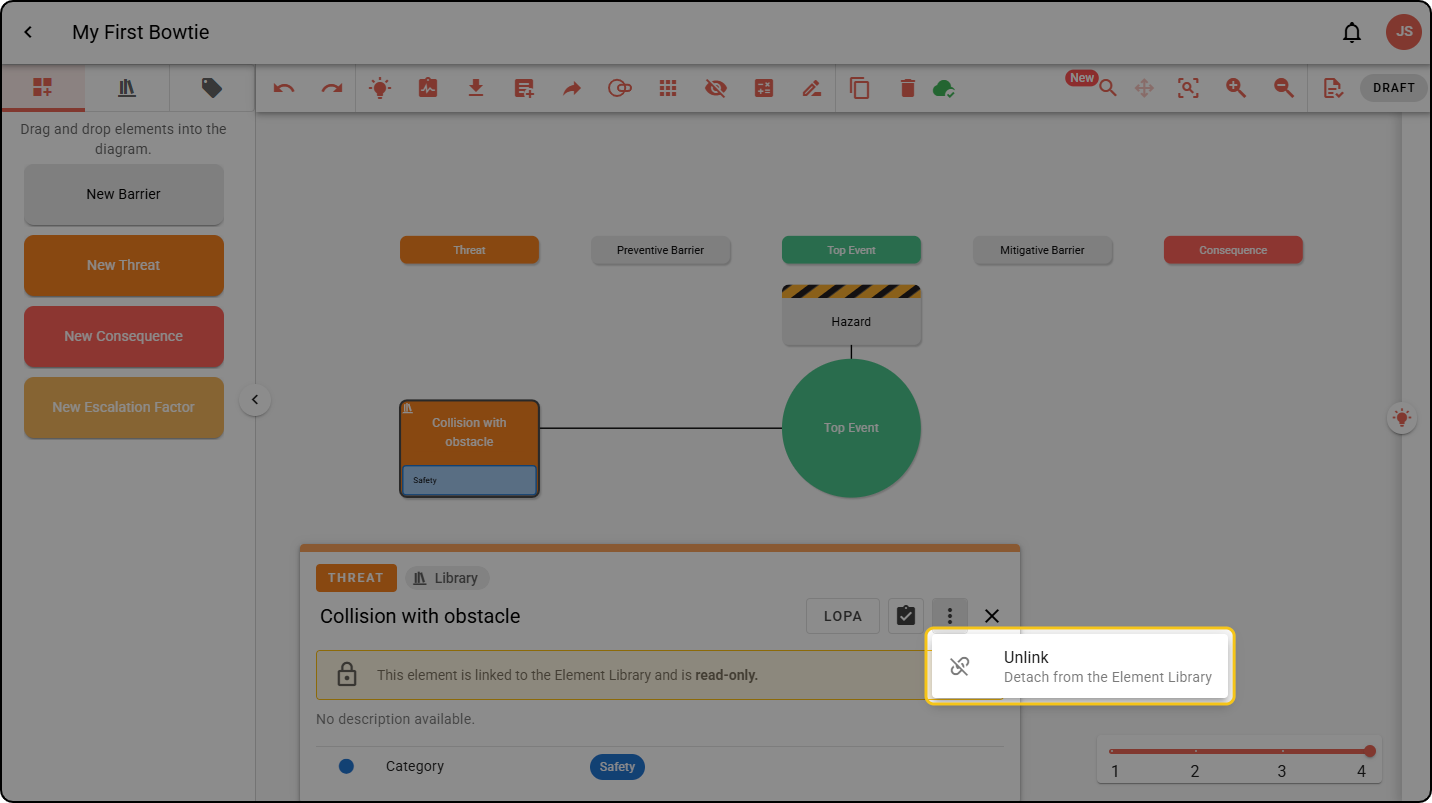
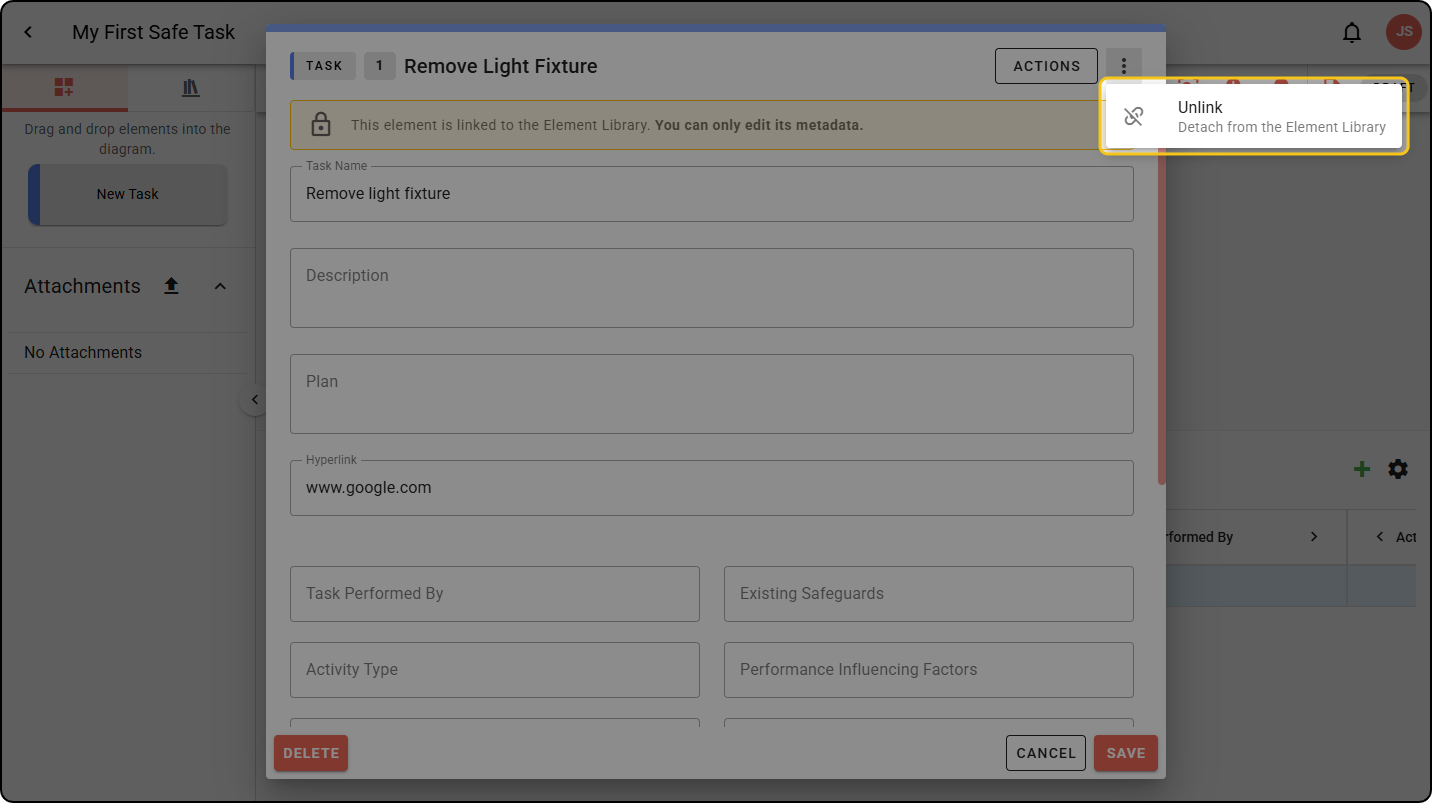
Step 3: Open the three-dot menu and select Unlink.
The menu location is different in each diagram type. Examples for all are shown below.
Bowtie
Safe Task
Incident Insight